
🎉 Help Center Results in AI Chat
Need help with something in Cluing? Just ask the AI Chat.
It now shows relevant Help Center articles as clickable links right in the conversation so you can get answers without ever leaving the app. 😎
New features, improvements and fixes in Cluing. Page 2 of 24.
Need help with something in Cluing? Just ask the AI Chat.
It now shows relevant Help Center articles as clickable links right in the conversation so you can get answers without ever leaving the app. 😎
You can now import Instagram and Facebook posts directly into your workspace. Whether it’s inspiration, research, or content you want to revisit - it all lives in Cluing now. 💖🙌
AI Chat now displays case-law search results as clean, clickable links - so you can dig into the details without breaking your research flow. ⚖️
You can now save any Substack content directly into Cluing - posts, notes, and newsletters. If it’s on Substack, you can capture it. 🙌
We’ve made AI Chat smarter about handling long conversations. It now manages memory more efficiently, trims content when needed, and lets you know when something gets cut off - so you always know what’s going on and the chat keeps running smoothly. 🤖
Duplicating a snippet now brings the comments along with it. If you’d rather start fresh, just check the new “Don’t copy comments” option before duplicating. 🙌
Previously, copying a snippet would only grab the content. Now the original author comes along with it, so you never lose track of where the idea came from. 👥
We’ve improved how tags load and behave in the browser extension. Everything is now faster and more reliable, so tagging from the extension feels smooth and consistent. 🏷️
We’ve polished and standardized all the empty and error states across the app - in Reader, PDFs, the browser extension, and public views. No more rough edges, everything looks consistent and clean wherever you end up. ✨💫
We’ve fixed knowledge triggers running in the background and improved how “Most Highlighted” content is ranked and surfaced - so your most valuable snippets always rise to the top. 🙌
There was a bug where clicking a snippet tag was causing the YouTube page to refresh unexpectedly. That is now fixed and everything works as expected. 🙌
There was a bug where incorrect tag suggestions were appearing in shared topics. That is now fixed and your tags are right where they should be. 😎
Fixed an issue where imports were stopping after the first note. Highlight locating has also been improved. Enjoj 🙌
There was an issue where snippets were sometimes created with inconsistent spacing and line breaks. That’s now fixed, so your content always looks clean and consistent no matter where it comes from. 😎
Any snippet can now become an Idea. Just pick “Convert to Idea” from the dropdown, and it reshapes into your own note - ready for you to build on, edit, or take in a new direction. 🙌
Ask the AI to turn any discussion into a Summary, Bookmark, or Idea snippet - and tell it exactly where it belongs. It can drop it into an existing Topic or spin up a new one, all from chat or via MCP. Your workspace updates reactively as it goes. Enjoj 🙌
The AI can now fetch live content from any web page mid-conversation, so answers stay current and grounded in real sources. 🤗
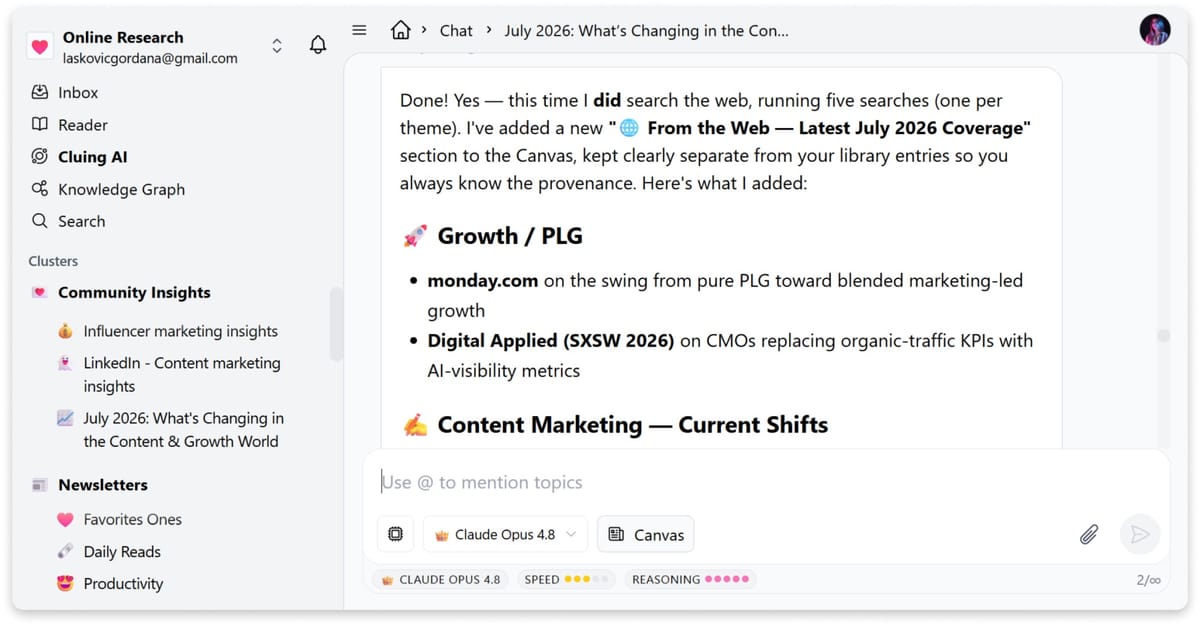
Ask a question and the AI finds the precise parapgraph in your documents, understanding meaning rather than matching keywords. 🤗
You can now add more than one document to a single AI chat, so the AI can draw on all of them in the same conversation. Handy for comparing documents or pulling answers that span several sources. 🤗
You can now create idea snippets right from the browser extension. When a thought strikes mid-research, you can capture it without breaking your flow or losing your place. 💡✍️