When you drop a timestamp into a YouTube snippet’s comment - like “check out 5:50” - it automatically becomes a clickable link. 🔗
Click it and the video preview jumps to that exact moment instantly, making it effortless to track and navigate between multiple key takeaways in a single video note. ▶️👀
You can now paste images directly into your AI chat. Instead of trying to describe what’s on your screen, just copy a screenshot right into the conversation. The AI will analyze the image, helping you get the answers you need without any extra steps. 🤖
When switching between topics, highlights from the previously viewed topic were sometimes staying visible. This has been fixed, so each topic now opens with a clean slate. 🧹😁
Switching to a different workspace while the Canvas was open was causing some unexpected issues. This has been fixed, so you can now switch workspaces smoothly without any problems. 🤗
Some collaborators were not showing up in the suggested list when expected. We’ve resolved this so the full list of collaborators is now displayed correctly. 👥🙌
You can now use the Summarize button in the extension to instantly turn any webpage into a concise summary snippet. With just one click, our AI captures the key points of an entire page so you don’t have to read or copy content manually. Enjoy! 🙌
We’ve added a text formatting toolbar to the AI Canvas, making it easier to write, edit, and organize your content directly inside the chat. 🙌
Now, you can polish AI-generated drafts, structure complex ideas with headers, and highlight key takeaways using bold or blockquotes. It’s the perfect way to turn raw AI responses into clean and organized documents in one place. 🖋️
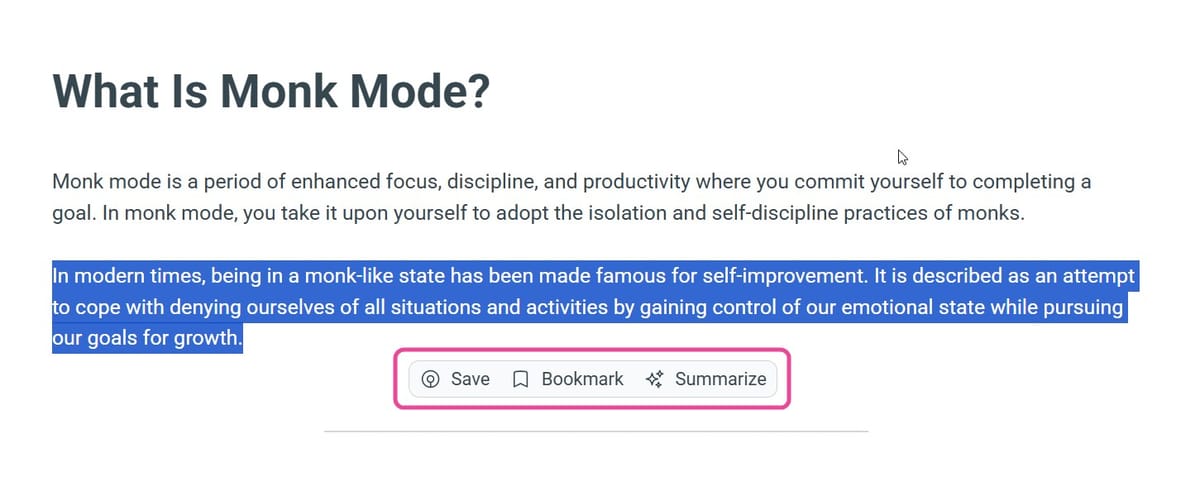
We’ve improved the Highlighter to make capturing and organizing content much easier. When you highlight text on a webpage, you’ll now see quick actions:
Save – create a snippet from the highlighted text
Bookmark – save the entire page as a snippet
Summarize – create a snippet with a summary of the page
We’ve added an AI suggestion button to snippets in the Inbox Topic. It helps you sort snippets into the right topics faster, without the guesswork. Just click the button and CluingAI will automatically suggest the best title, tags, and topic to move it to. 🤖
You can now create a snippet out of TikTok link. Just paste the link, and the content is captured as a snippet, so you can revisit it anytime, keep it organized by Topic, and treat it like any other saved resource. 📱
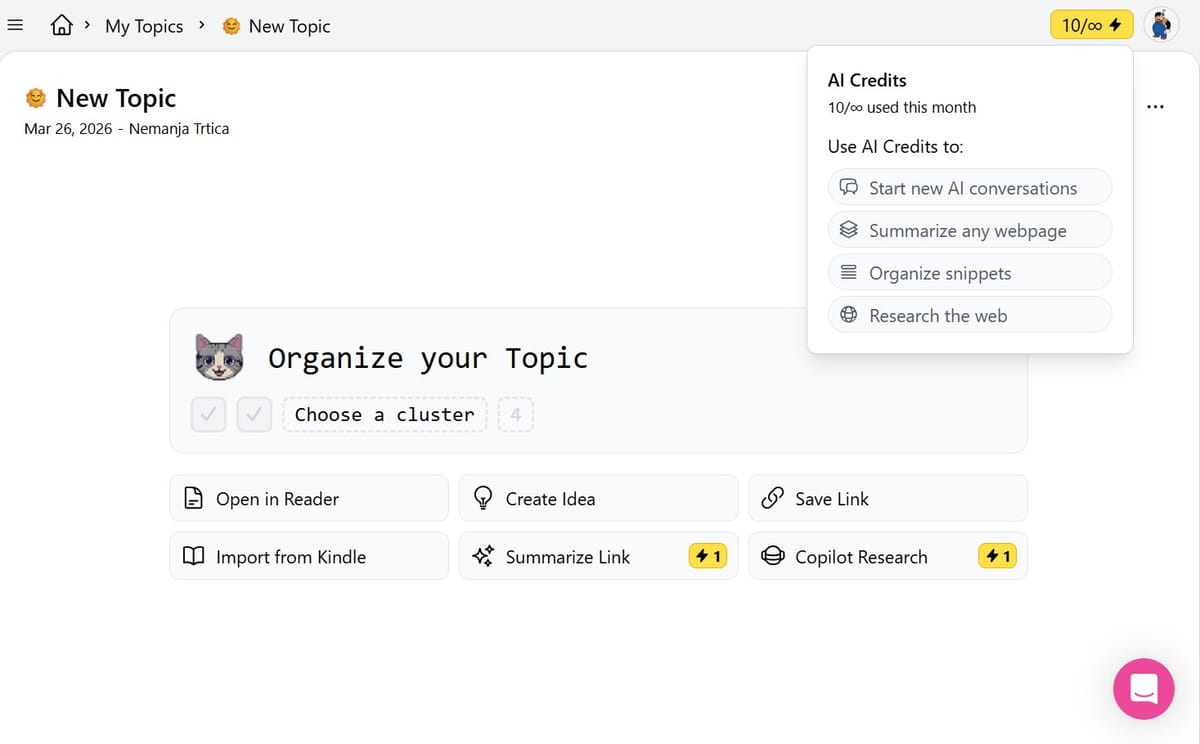
We’ve added a new quick action to the empty Topic.
You can now summarize any link directly from your workspace. Simply paste any webpage link into the “Summarize Link” field. With just one click, our AI captures the key points of the entire page and creates snippet out of it. Enjoj 🙌
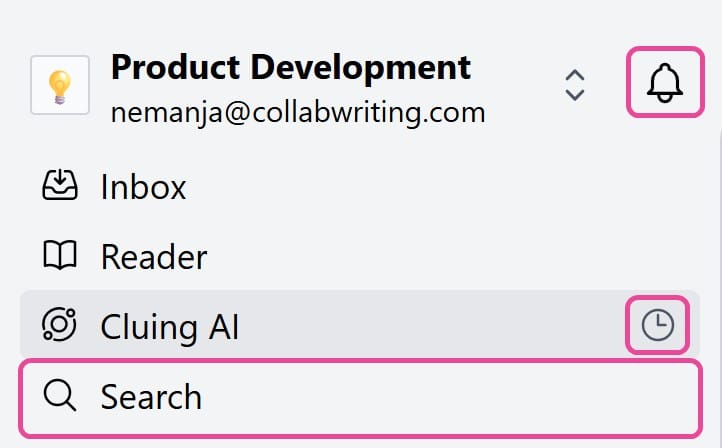
We’ve moved Notifications and Search into the left sidebar to reduce clutter and keep everything in one easy-to-access place. 😁
We also added dedicated button to open your AI chat history directly from the sidebar. Enjoj 🙌
We’ve added a new way to track your AI usage. Now, you’ll know exactly how many credits you have left and which actions use them. Just click the yellow lightning bolt badge (⚡) to see your monthly balance and exactly which actions consume credits. 🙌
Cluing is going mobile!
You can now try our brand new Android and iOS apps in BETA and take your thinking, writing, and planning with you wherever you go. Capture ideas on the move, stay connected to your work, and keep everything in sync. Enjoj 📲
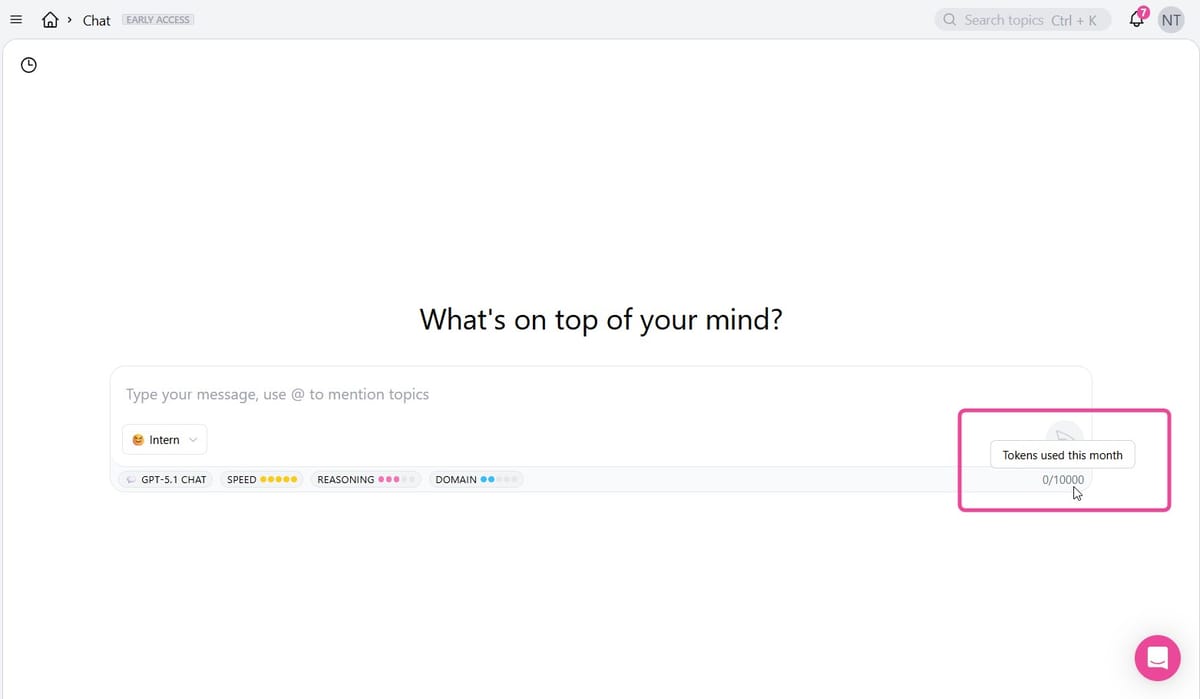
AI Chat is now available to everyone. You can start chatting with AI right away to explore ideas and get help, with no paywall in the way. Free users get up to 10,000 tokens per month, so you can try it out and see how it fits into your workflow. 🤖
You can now create a custom forwarding email that matches your brand or project, making it easier to remember and nicer to use. Instead of a random-looking address, you get something that feels intentional and truly part of your setup. Enjoj! 🙌 📩
You can now save useful responses and research directly from your AI Chat, either straight from the conversation or after opening the canvas. This makes it easy to keep what the AI helps you create and turn chat conversations into real and usable work. 💪
You can now find all your past AI chats in one dedicated place. Use it to quickly find the right conversation, rename chats, or delete ones you no longer need, keeping your chat clean and tidy. 🤖🧹