

🎉 Move Topic to Cluster
Moving a topic from one cluster to another is now quick and easy. Just open the topic menu and choose ‘Move To’ option to place it in another cluster. This should make Topic organization simple especially on your phone 📱
New features, improvements and fixes in Cluing. Page 6 of 24.
Moving a topic from one cluster to another is now quick and easy. Just open the topic menu and choose ‘Move To’ option to place it in another cluster. This should make Topic organization simple especially on your phone 📱
Getting started with Cluing is now simpler and more intuitive. The updated onboarding guides you through the key features step by step, so you can understand the app quickly and start creating. 🚀
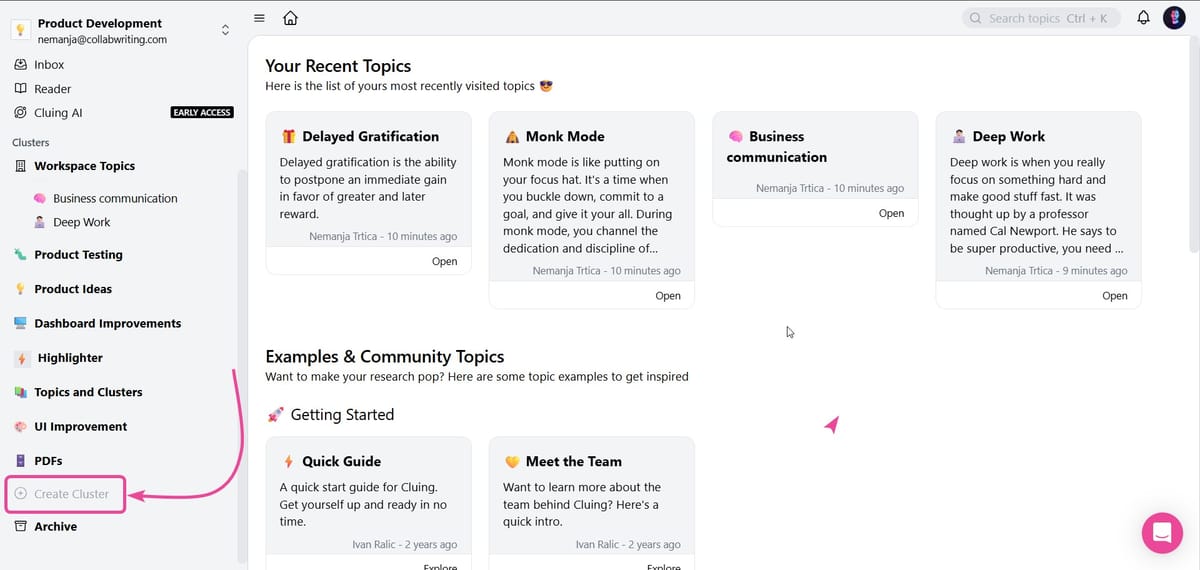
We’ve added an additional Add Cluster button to make it easier to spot and use. Positioned at the bottom of the cluster list so it’s more natural to use when going through Topics. 📚
Rearranging topics in the sidebar is now faster and smoother. Moving things around feels more natural, making it easier to organize and adjust your structure as your ideas grow. 😁
We fixed an issue in AI Chat where the input field didn’t scroll properly, causing the send button to be hidden and messages hard to submit. Chatting with AI should now be smooth 🤖
There was an issue where changing workspaces could get stuck loading. Switching between workspaces now works as it should. 😜
We fixed an issue where changing a Topic could leave an old highlight active on the page. Highlights now update correctly 🙌
Turn your email inbox clutter into organized insights. 💡 You can now assign a unique email address to any specific topic. Forwarding an email to that address automatically generates a snippet within that topic. Enjoj 🙌
We’ve added an option to upload Images to Idea Snippets and Comments directly from your PC. ⬆️ Instead of opening each one to copy it or take a screenshot, you can now easily upload them directly into comment or idea snippet simply by using slash command menu. 🙌
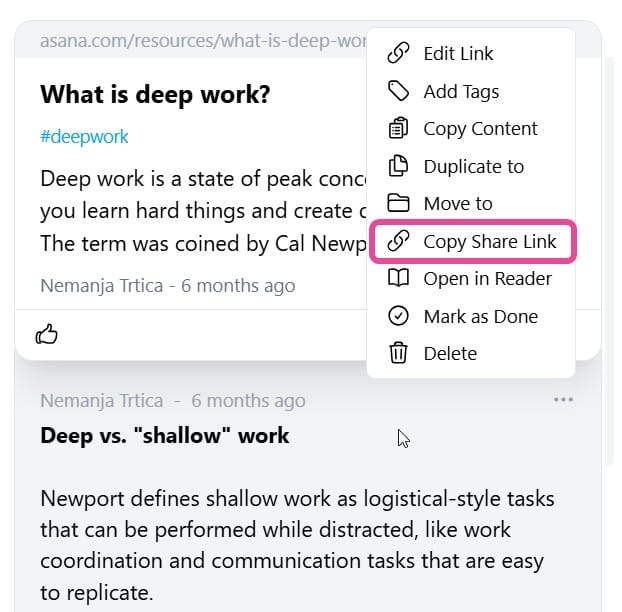
You can now generate a direct Share Link for any specific snippet or comment. 🫣 No more telling colleagues to “check third snippet” - just send them the exact link. 😁
Formatting text just got a lot faster. ⚡ We’ve added the / menu to our text editors (Comments and Idea Snippets). Simply type / to trigger a dropdown menu that lets you insert images, bulleted lists, numbered lists, mentions, or tags. 😁
Give your workspace some personality! 🎨 You can now pick a unique icon for each of your workspaces, helping you quickly spotting the difference. Now organization looks as good as it feels. 🤩
Now, any #tags you leave in your Kindle notes are automatically detected and converted into functional tags in Cluing the moment you import them. No need to re-tag everything once you’re back in the app! 🏷️
Saving a YouTube link directly on your Dashboard now generates a visual preview thumbnail, replacing the old text-only snippets. Enjoj 🙌
Page resizing is now smoother than ever. 🤩 We’ve optimized the logic to ensure it works consistently across all websites, even those with complex layouts. 😁
We’ve completely redesigned our onboarding to make it smoother and more intuitive, getting you from zero to hero in half the time. Enjoy 🙌
We’ve fixed a bug that prevented Topic icons from saving. Whether you’re adding a new icon or updating an existing one, your changes will now stick every time. 😁
We fixed an issue where link edits were being saved even after the action was canceled. Your original links are safe until you’re ready to commit to a change. 🔗
We fixed that annoying bug where rotating a PDF would suddenly jump you a few pages down. Now, when you flip the view, you stay exactly where you’re reading. 📖
We’ve added a Recent Authors list to the Author field. 🫣 Now you can instantly credit the people behind the ideas without having to search for them every time. 🙌