

🎉 Mention Only
Now you can mention anyone on a snippet - even if they’re not a member of the topic or don’t use Collabwriting yet. They’ll get an email or a Slack message with your comment and the snippet info, so they’re always in the loop. 🔔
New features, improvements and fixes in Cluing. Page 10 of 24.
Now you can mention anyone on a snippet - even if they’re not a member of the topic or don’t use Collabwriting yet. They’ll get an email or a Slack message with your comment and the snippet info, so they’re always in the loop. 🔔
We love making your workflow smoother! Now you can choose exactly what Topic opens when you start Collabwriting extension. Want to jump straight into your:
1. Inbox 📩 2. Last viewed topic 👁️ 3. Newest Topic on a specific link 🔗
Choose which one and get to your notes faster and easier! 🙌
We’re always cooking up new ideas, and guess what? We’ve decided to let you get a sneak peek! If you’re curious, just flip the switch for our experimental features to see what’s “under the hood.” 🏗️
We’ve given our comment section a fresh look! You’ll notice a smoother, cleaner design, especially when you’re adding #tags or @mentioning collaborators. ✨
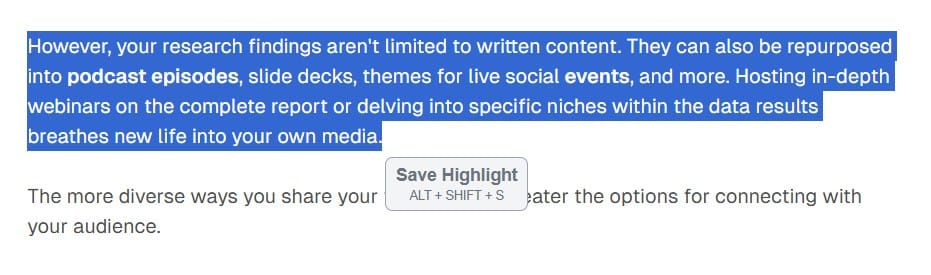
We’ve changed a shortcut to avoid any chlashes with other apps. Your quick-action combo is now Alt+SHIFT+S
There was a problem with moving snippets to different Topics. We’ve fixed the bug, so you can now smoothly drag and drop your snippets to any topic you want. Enjoy 🙌
We fixed the bug where you couldn’t use multi-select in the extension to delete snippets. Now, you can select and clear out multiple snippets at once. 🙌
There was a bug where you couldn’t always copy your topic sharing links. We fixed it, so now copying your shareable links works perfectly every time! 😁
We’ve added a little behind-the-scenes magic called a “local cache”. Now the topics you’ve already opened will appear instantly when you go back to them. Enjoy 🙌
Replying to comments just got super easy! Now you can click “reply” and instantly tag the person who left that comment. This will ensure your feedback reaches the right person directly! 😁
We’ve fixed a bug where editing previous link would leave behind a “https://” wich later prevented you to create a new link. Now, when you edit any link, it’s gone for good. 🔗
We’ve fixed a bug that was causing your collaborators suggestion list to disappear after switching workspaces. Now, the list of your collaborators will always be visible. 📃
We’ve fixed a bug that was preventing topics from loading when you tried to print them. Now, you should be able to print your content without any problem. 🖨️
We’ve fixed a bug that was preventing image pasting when working on PDFs. Now you can easily insert images into your comments everywhere on the app. 🖼️
Now you can easily scroll through your PDF documents and use multiple colors to highlight text, making it easier to organize your insights during collaboration. 🎨🖼️
When you edit a link within a snippet, now you’ll see a verification status, helping you ensure the reliability of the changed link. This helps avoid sharing snippets with broken links that can’t be found. 🔐
There was an issue with adding new users through the comment section, but it’s now fixed. You can add as many users as you need - just make sure you’re within your subscription limit 😉
Inserting a link into a word used to make it appear slightly larger. That’s now fixed - all words now have the same font size! 🙌
A bug that stopped images from loading when printing topics is now fixed. All pasted images now appear correctly 🖼️
A bug was preventing users from updating their first and last names in the app settings. That’s now fixed. 😁