

How to Archive a Topic?
Whether you’re finishing projects or cleaning up unused topics, the Topic Archive helps you organize your content while keeping it easy to access later.
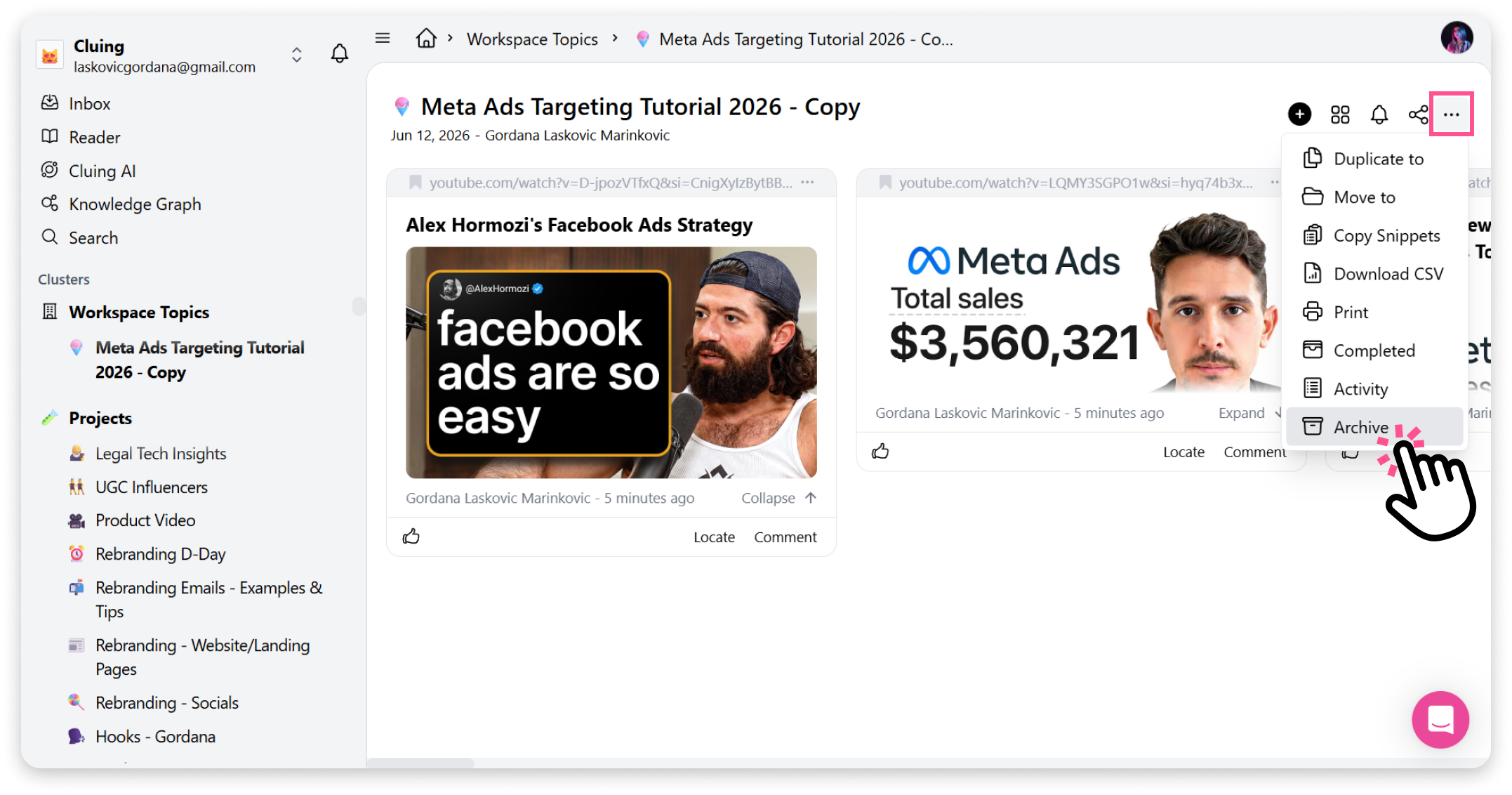
How to archive a topic on the Dashboard:
Section titled “How to archive a topic on the Dashboard:”-
Go to the topic you want to archive.
-
Click the menu button for that topic.
-
Select Archive from the menu.
This will automatically move the topic to the Archive Cluster, which is located in your side panel.
How to archive a topic in the Extension:
Section titled “How to archive a topic in the Extension:”To archive a topic in the extension, simply click the dropdown menu and find the topic you want to archive.
You’ll see an archive icon - click it, and your topic will move to the Archive Cluster.