Leaving Shared Topic
From the Extension
Section titled “From the Extension”-
Open the extension and open the drop-down menu with all your topics.
-
Scroll all the way down to find the Shared Topics cluster.
-
Click the X button next to the topic you want to leave.
From the Dashboard
Section titled “From the Dashboard”-
Go to your Dashboard.
-
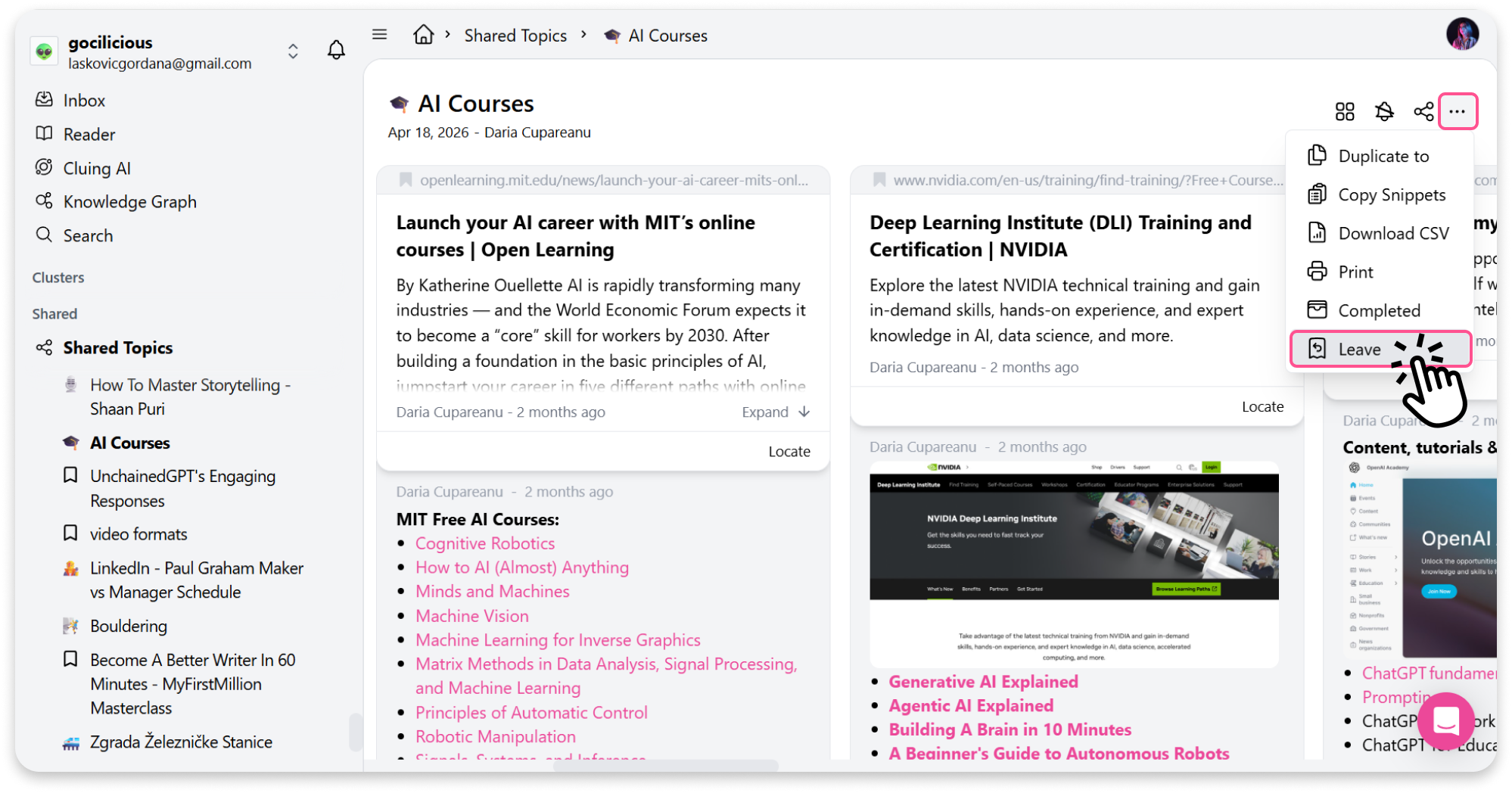
Open the topic shared with you that you want to leave.
-
Click the topic menu option (three dots in the top right corner).
-
Select Leave.