

Explore Your Knowledge Graphs
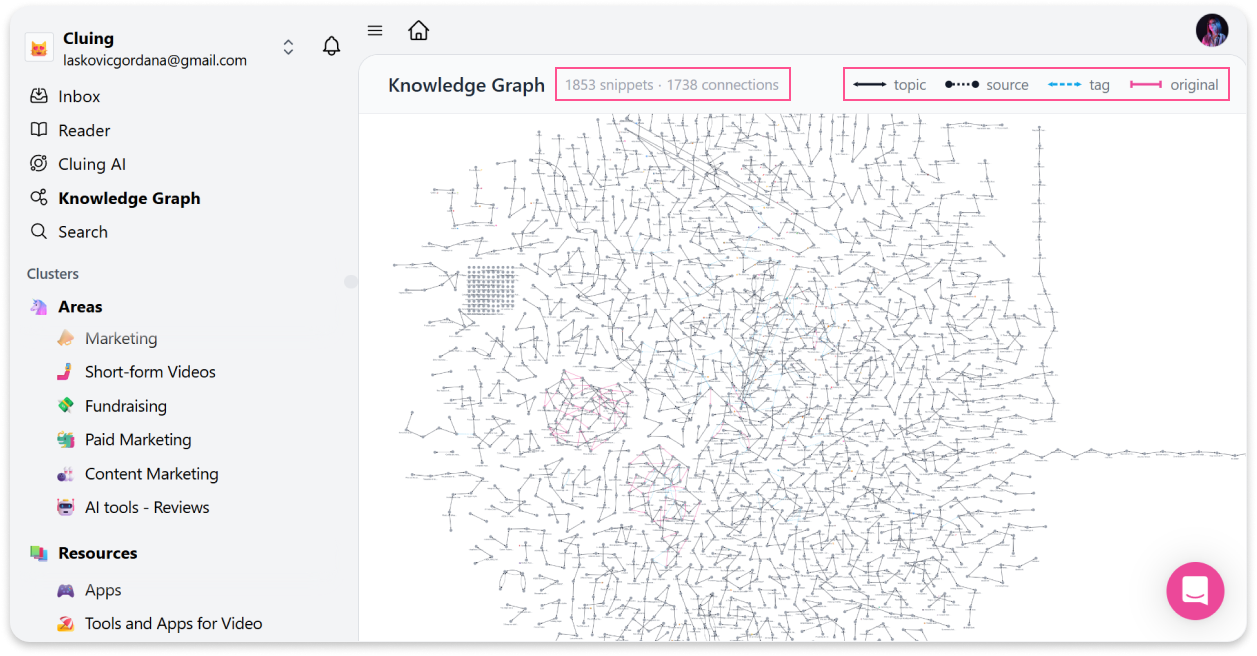
When you open the Knowledge Graph on your Dashboard, you can see how many snippets you have and how they’re all connected.
Each connection is visually different, making it easy to distinguish between:
-
Topics
-
Sources
-
Tags
-
Original
This gives you a clear map of how your ideas are structured across your workspace.
How it works
Section titled “How it works”Every snippet in your workspace appears as a node on the graph, with lines connecting snippets that are related to each other.
Click on any snippet to open it and explore its connections and context behind each relationship.
Who can see your knowledge graph
Section titled “Who can see your knowledge graph”-
Personal workspace - your Knowledge Graph is private to you
-
Team workspace - all team members have access to the Team workspace Knowledge Graph