How to Save Content as a Snippet While Browsing on Mobile
While browsing on your phone, you can save content from almost anywhere - webpages, YouTube, X, LinkedIn, TikTok, and more - directly to Cluing as a snippet, without switching apps or copying links manually.
How to Save
Section titled “How to Save”-
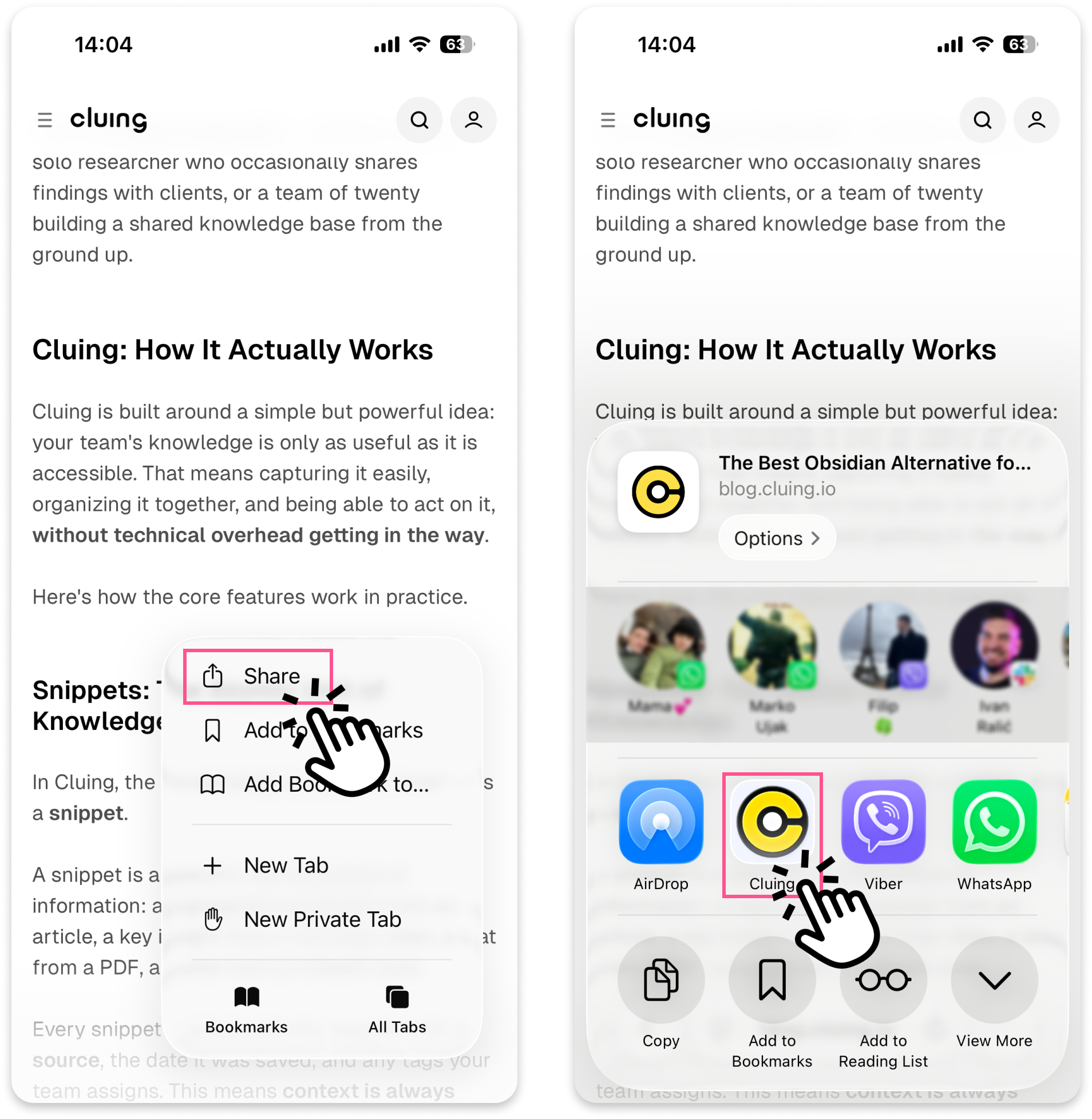
Open any content you want to save in your mobile browser or app
-
Tap the Share button
-
Find and select Cluing from the list of apps
What Happens Next
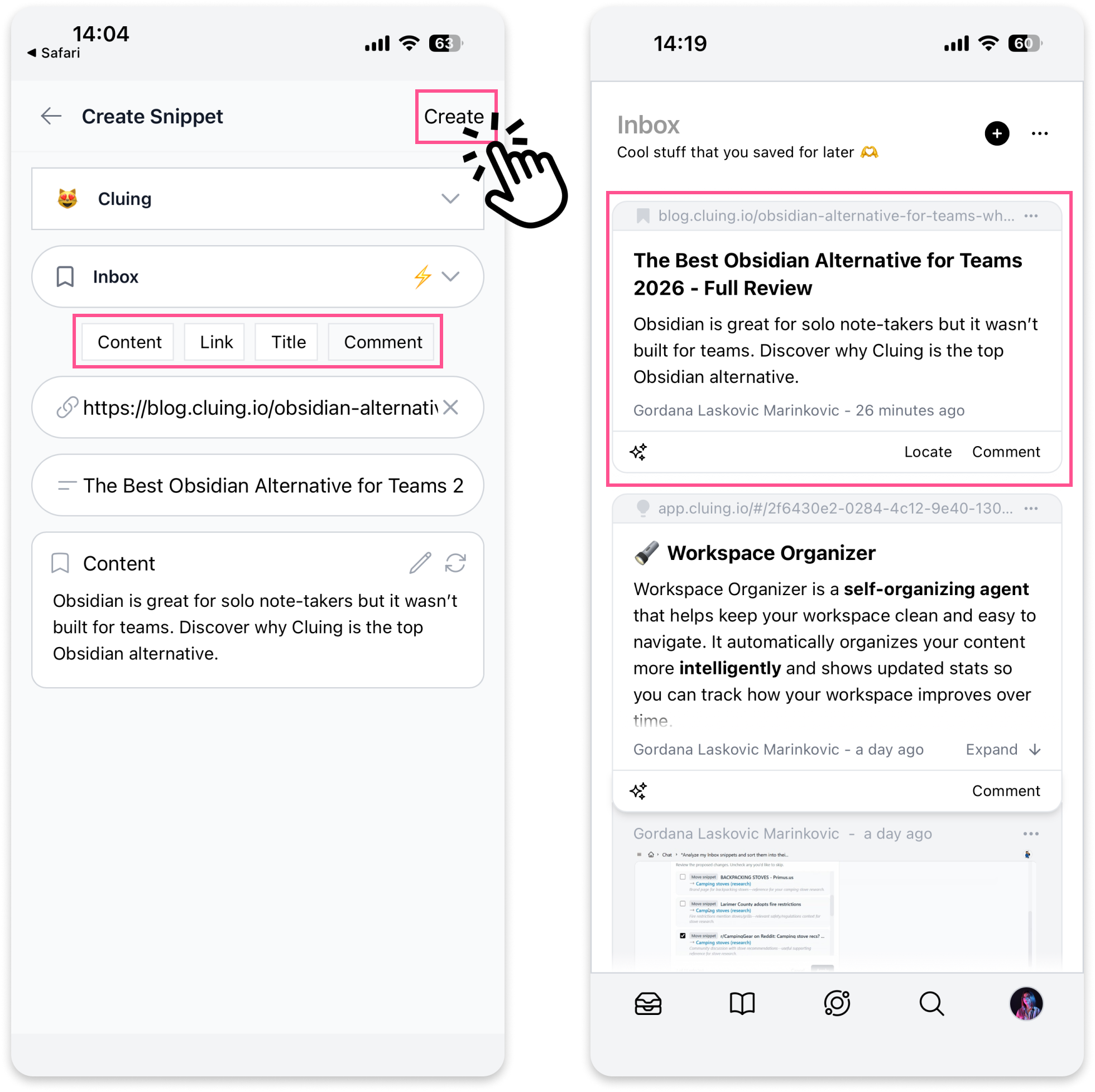
Section titled “What Happens Next”Cluing will automatically generate a snippet from the content. From there, you can:
-
Choose a Topic (and Cluster) where you want to save it
-
Edit the title
-
Add a comment or mention someone
-
Edit the link or the auto-generated content if needed
-
Tap ‘Create’ and the snippet is saved to your Topic.