

Copy all your snippets (with comments)
You can easily copy all the snippets from any Topic - comments included - and paste them into tools like Google Docs, Word, Notion, or almost any other editor.
Here’s how:
-
Go to your Dashboard
-
Open the Topic you want to copy from
-
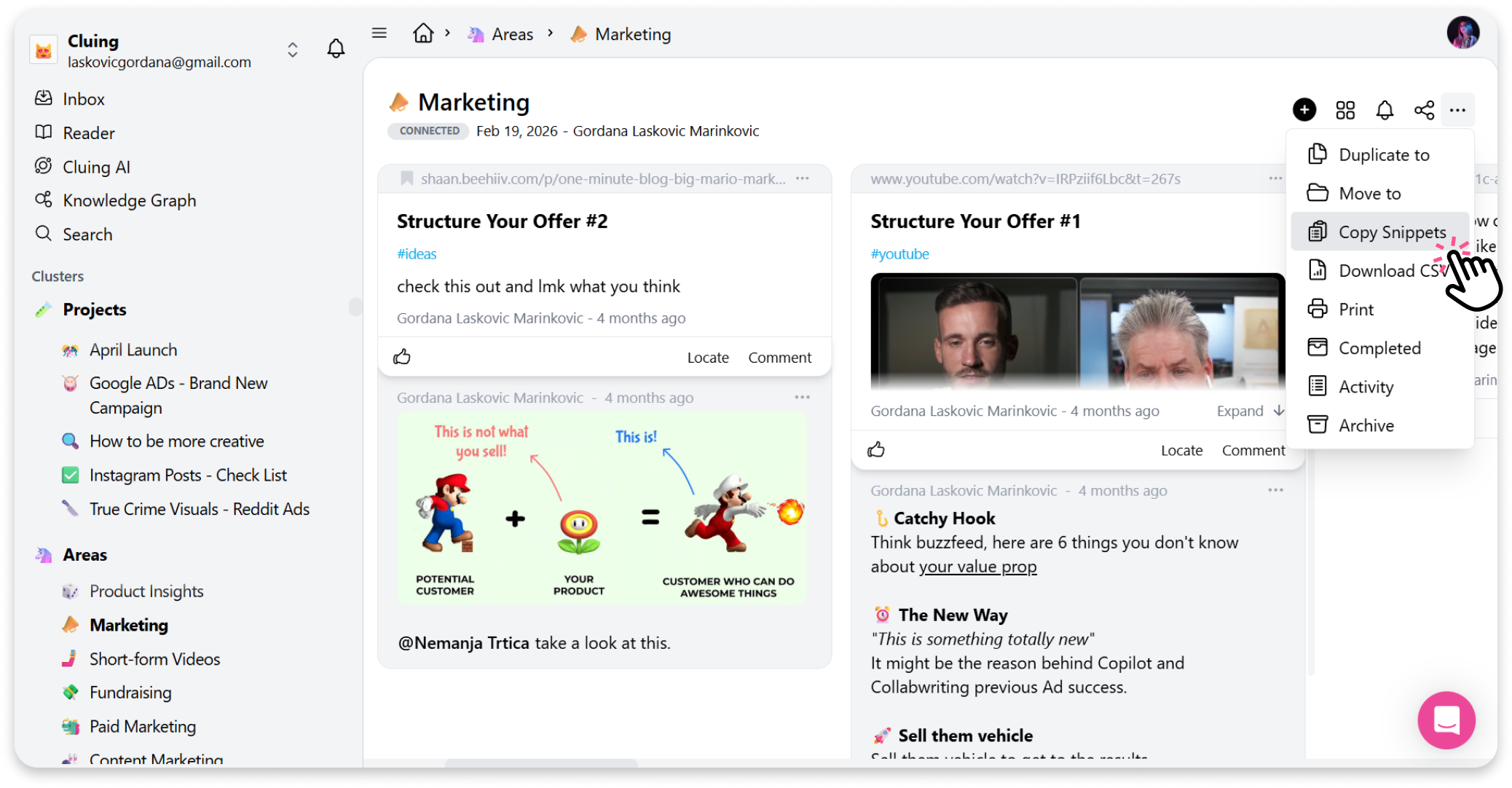
Click the three dots (’’More options”) in the top right corner
-
Select ’’Copy Snippets’’
-
Paste the content wherever you need - it keeps both formatting and comments
Quick and convenient! 😄