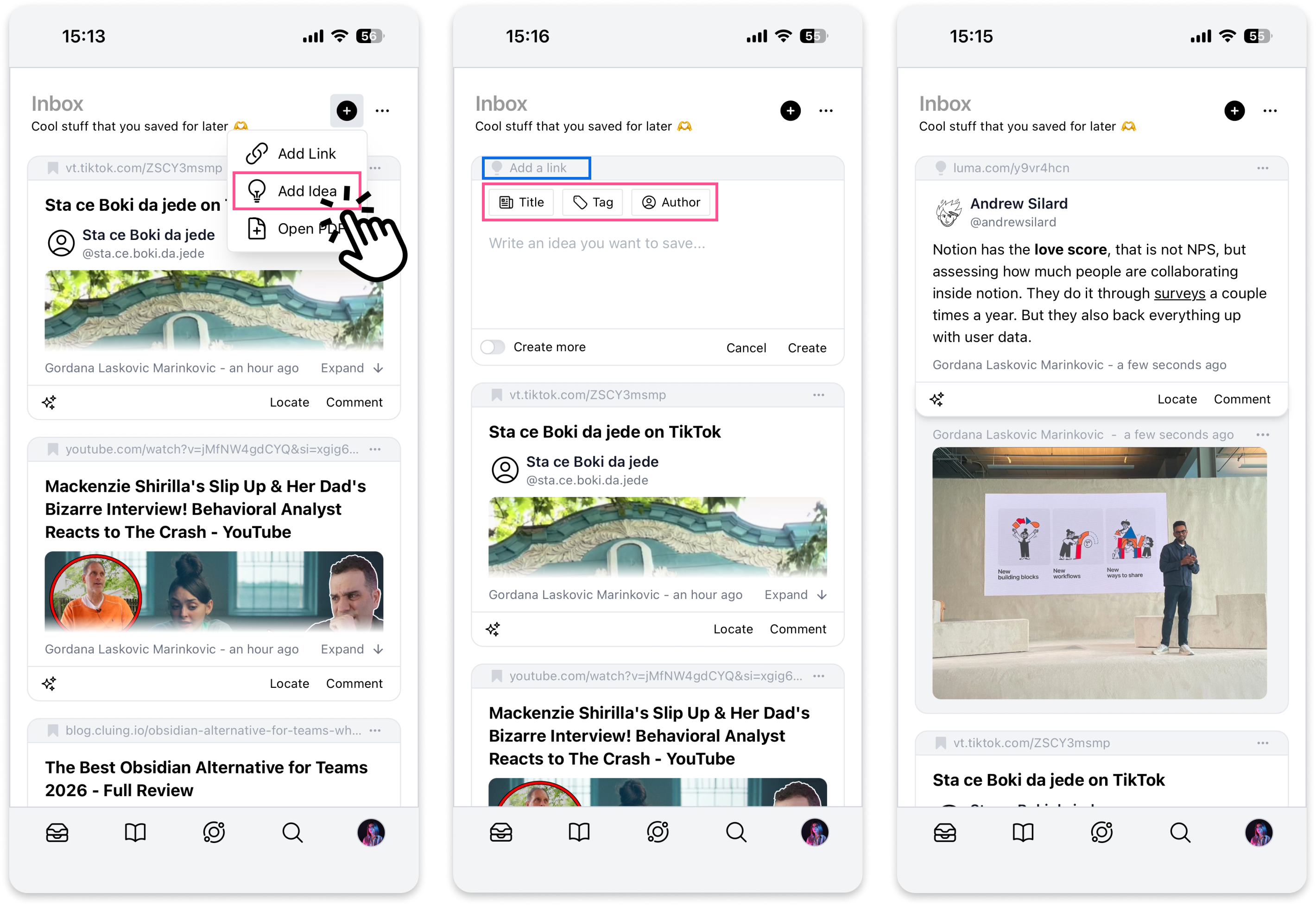
Idea Snippets - Take Notes on Mobile
Heard something worth remembering at an event or in a conversation?
With 💡 Idea Snippets, you can jot it down instantly and keep it organized alongside the rest of your insights.
Before you start, make sure to download the Cluing mobile app - available for iOS and Android.
How to Create a Note
Section titled “How to Create a Note”-
Open the Topic where you want to save your idea - or go to Inbox
-
Tap the + button next to the Topic title (or next to “Inbox”)
-
Select Add Idea
-
A blank snippet will appear - type your note
Add More Context to your Idea Snippet
Section titled “Add More Context to your Idea Snippet”You can enrich your idea snippet with:
-
A title to make it easy to find later
-
A tag to keep it organized
-
An author - if the insight came from someone else, you can tag them via their LinkedIn or X profile
-
When you’re done, tap Create to save your snippet.