Save Quora Posts as Snippets
Open the Extension
- To save posts from Quora, all you have to do is go to Quora and open the extension in your browser.
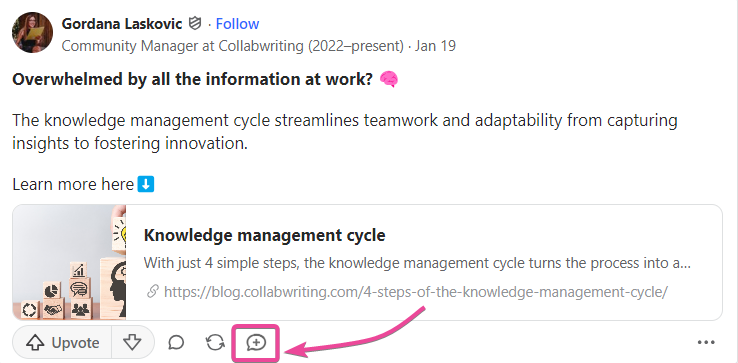
Navigate to the Save Button
-
You’ll find a “Save” button located beneath each post on your Quora home page.
-
Clicking this button automatically captures the post’s description and stores it as a snippet within the application, making it easy to revisit later.