Team Version
If you’ve been using Cluing on a Hobbyist or Professional plan and want to start collaborating with your team, upgrading to the Team Version is the way to go.
How to get started with Team Version?
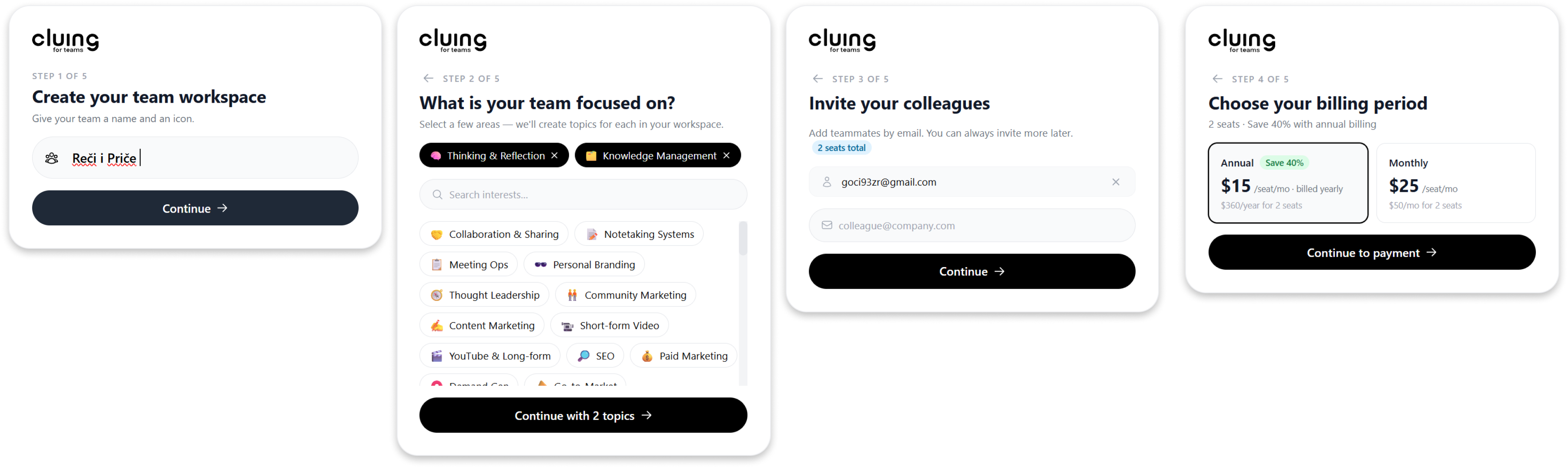
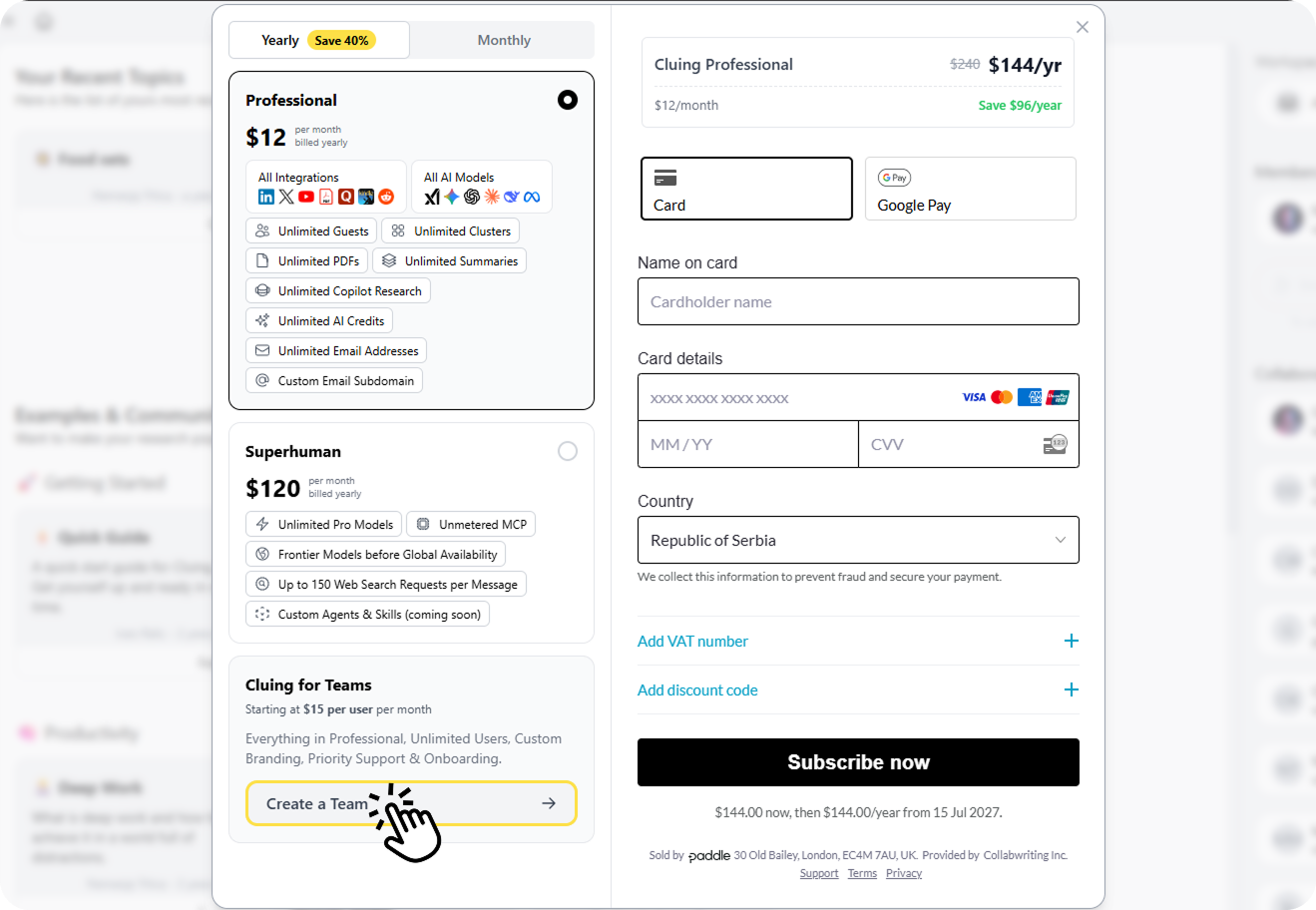
Section titled “How to get started with Team Version?”Head to your Dashboard’s Workspace Settings menu and click Upgrade to Team. Inside Cluing for Teams section click Create a Team. You’ll be guided through a quick 5-step onboarding process:
-
Name your team and choose an icon
-
Select your team’s areas of interest to personalize your experience
-
Invite your first team members by entering their email addresses - you can start with just two and add more members later
-
Choose your billing period
-
Complete your purchase