Summarize Any Link
How to Summarize Any Link (From Dashboard)
Section titled “How to Summarize Any Link (From Dashboard)”-
Go to your Dashboard.
-
Select the Topic where you’d like to summarize a link.
-
Click the + button in the top-right corner.
-
Select “Summarize Link” and paste the link.
-
After a few seconds, you’ll get a ready-to-use snippet - all in a single step.
How to Summarize Any Link (On Your Mobile)
Section titled “How to Summarize Any Link (On Your Mobile)”-
Open the Cluing mobile app and find the topic where you want to save the snippet.
-
Tap the Topic where you’d like to summarize a link.
-
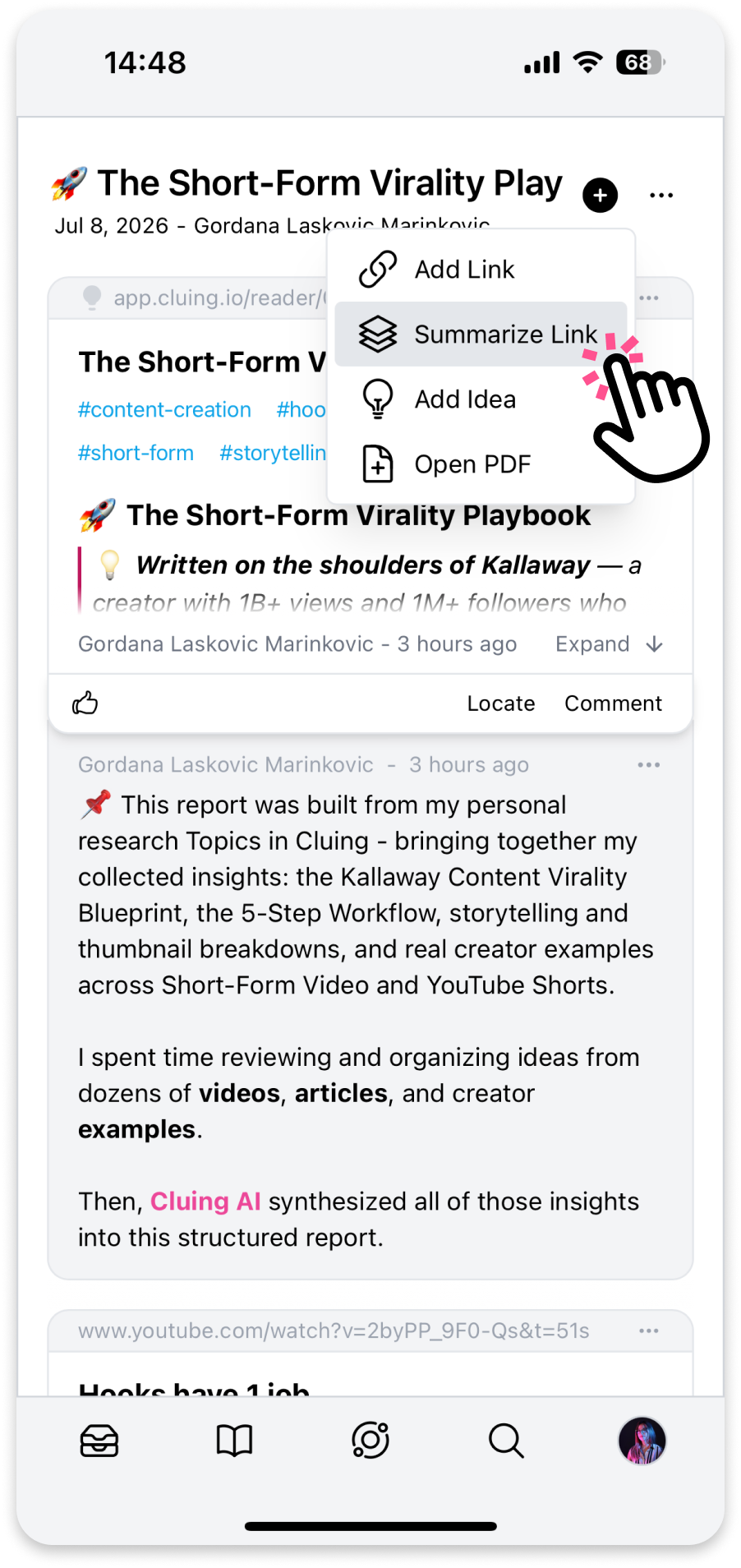
Tap the + button in the top-right corner.
-
Select “Summarize Link” and paste the link - this generates a short description of the article.
-
After a few seconds, you’ll get a ready-to-use snippet with that summary, all in a single step.