Set Up Cluing for One-Tap Saving on iPhone
How to add Cluing to your iPhone Share Menu Favorites:
Section titled “How to add Cluing to your iPhone Share Menu Favorites:”-
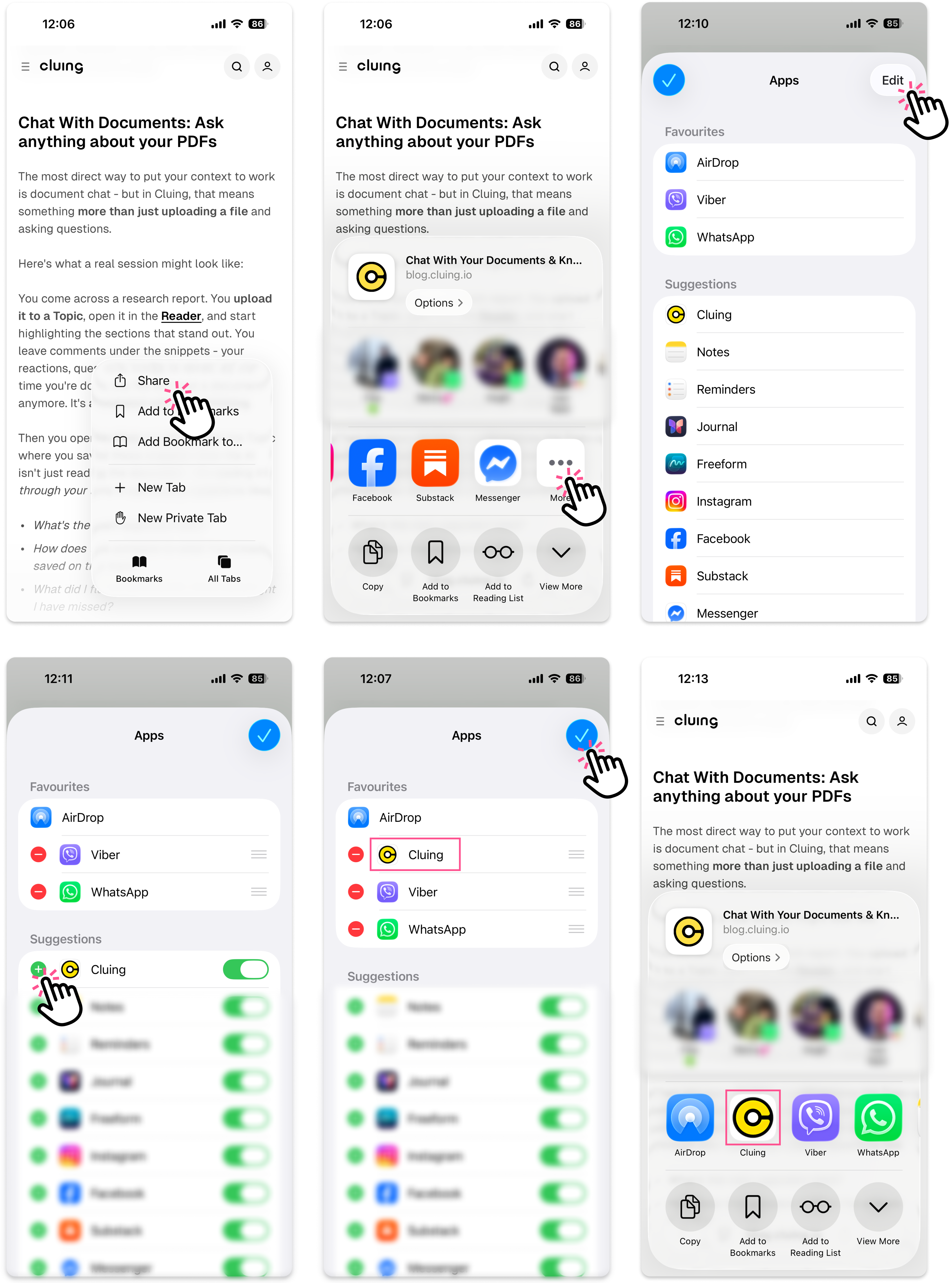
Open the webpage, LinkedIn post, YouTube video, or any content you want to save to Cluing.
-
Tap the Share button.
-
If Cluing is not visible in your app options, swipe left on the apps and tap More.
-
Tap Edit in the top-right corner.
-
Find Cluing and tap the + icon next to it.
-
Cluing will now appear in your Favorites, making it easier to save content the next time you use the Share Menu.