

How to get the Cluing mobile extension?
Key insights can happen at any time, so we do our best to be available on the go, too.
Mobile extension for Android
Section titled “Mobile extension for Android”There are only 3 steps to start:
-
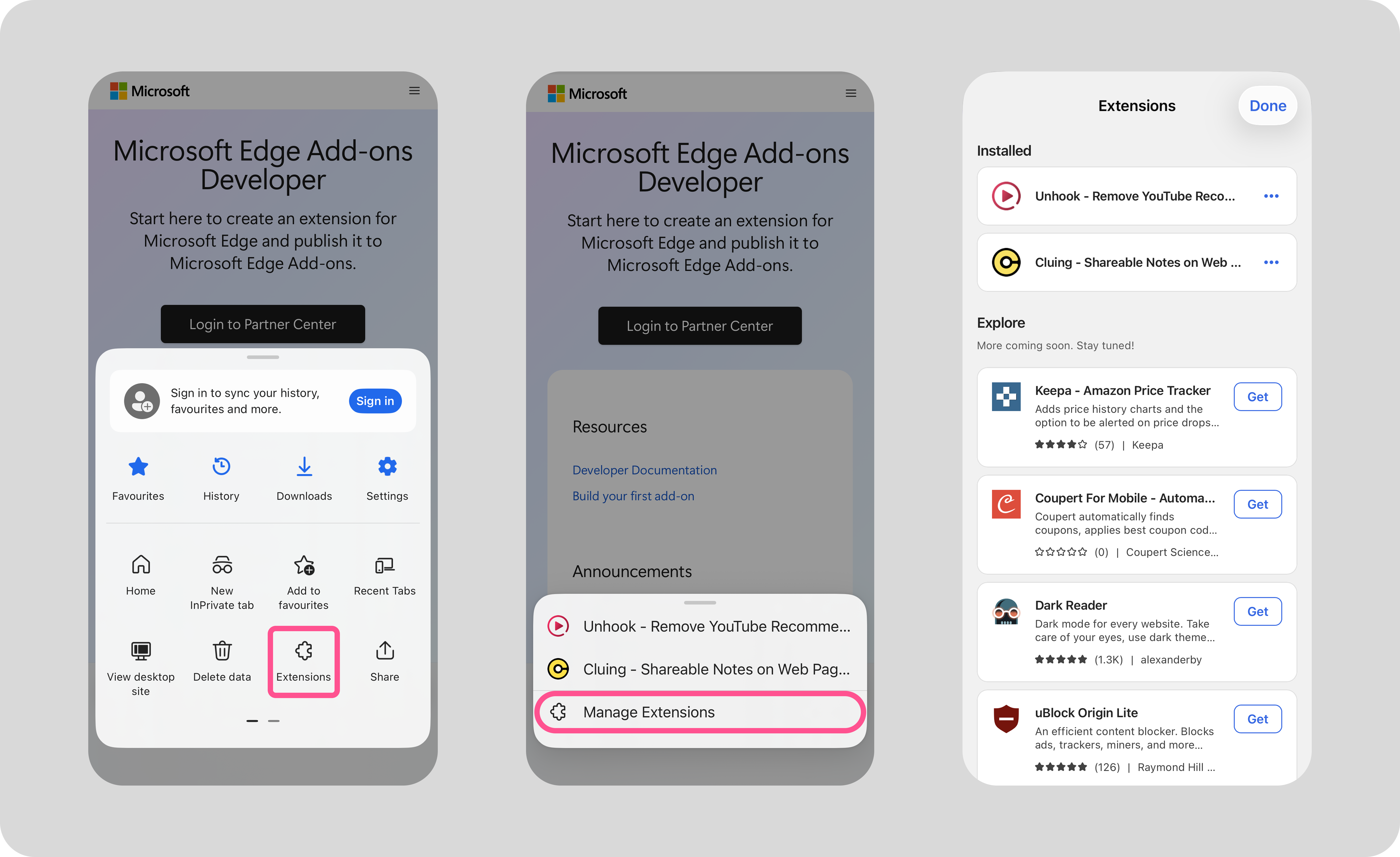
Open the Edge menu: Click the button in the bottom right corner to open the menu.
-
Open the extensions list: In the menu, find the Extensions option.
-
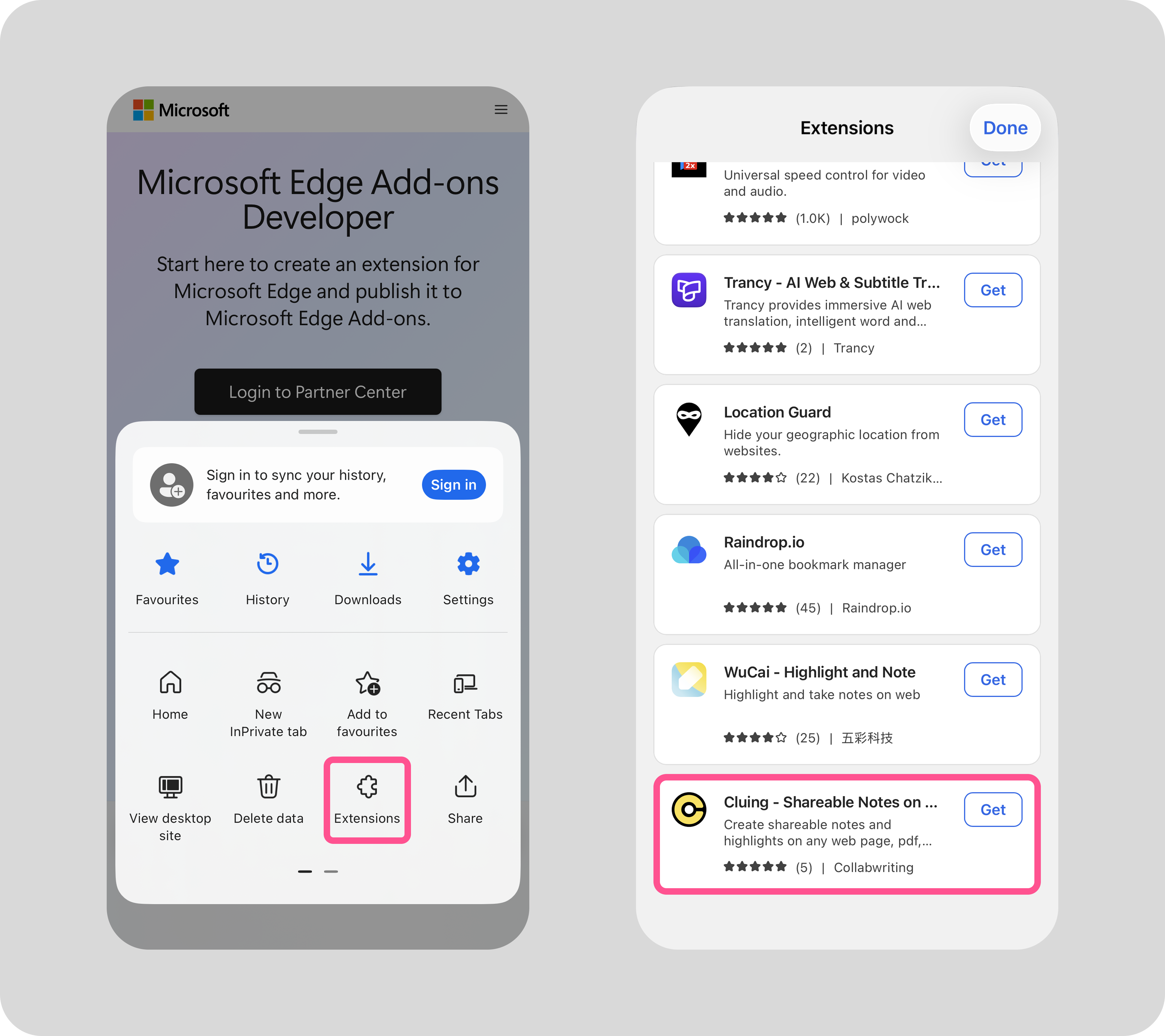
Scroll down to Cluing: Scroll through the list of extensions until you find Cluing.
Mobile extension for IOS
Section titled “Mobile extension for IOS”-
Open the Edge browser on your phone.
-
Tap the three lines (menu options) in the bottom right corner.
-
Select Extensions.
-
Find Cluing in the list and tap Get.
Installing the extension on Firefox
To get the extension, visit the Cluing page on the Add-ons store from your Firefox browser.
Click “Install”, log in, and you’re ready to go 🚀
What can you do on mobile?
Section titled “What can you do on mobile?”With the Cluing mobile extension, you can:
-
Highlight key information from articles and reports (PDFs included)
-
Add comments and insights directly to saved snippets
-
Keep track of sources and organize research into structured knowledge
-
Share topics and clusters with others