

Print or Save a Topic as PDF
Need a hard copy of your saved snippets? You can easily print a Topic - comments included – right from your Dashboard.
Here’s how:
-
Go to your Dashboard
-
Open the Topic that contains the snippets you want to print
-
Click the “More options” (three dots) in the top right corner
-
Choose “Print”
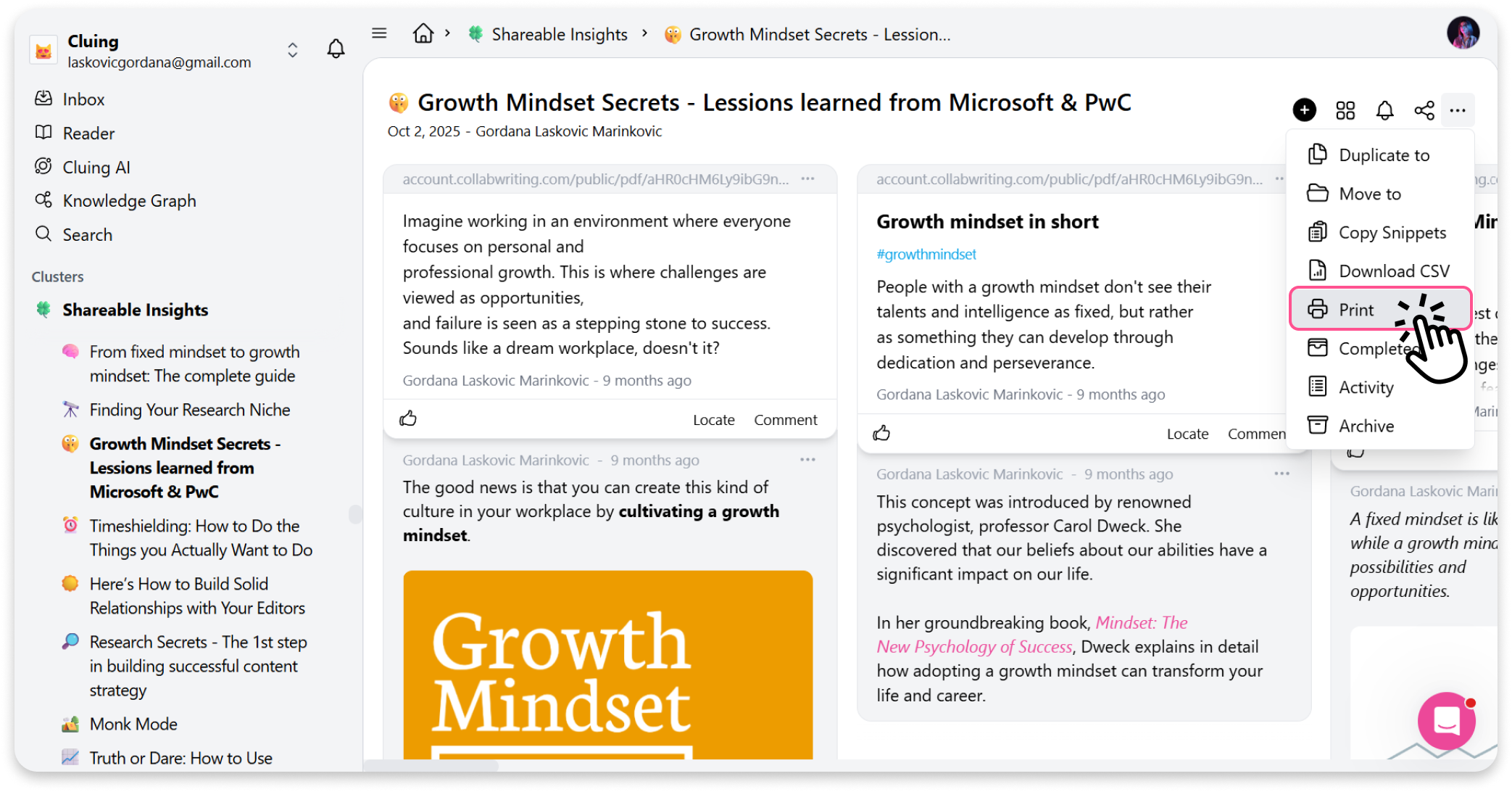
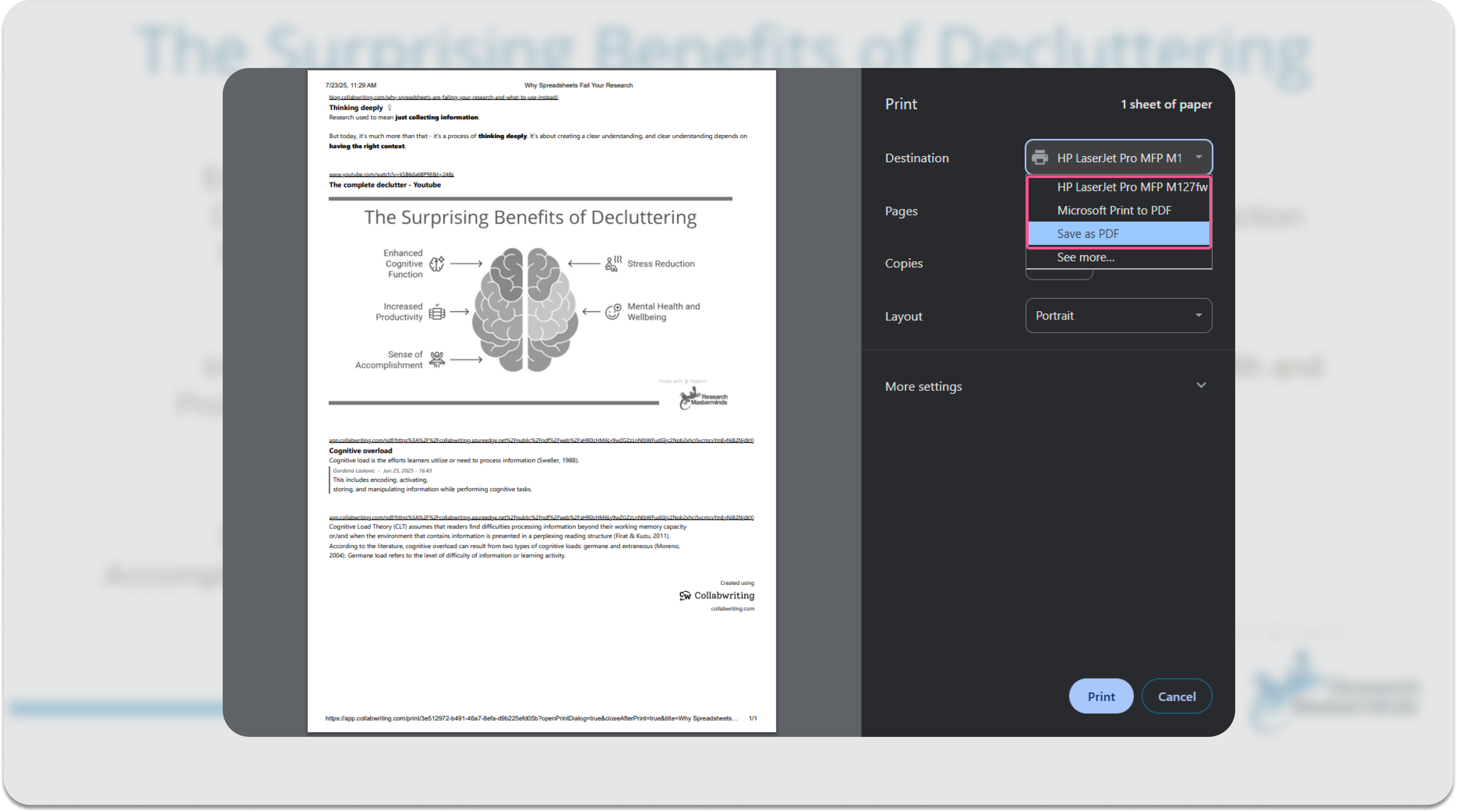
From there, you can either:
-
Save as PDF if you want a digital copy
-
Or send it straight to your printer for a hard copy
Simple and useful for sharing or archiving your research offline. 🙌🏼