

Markdown Documents
Reader lets you upload PDFs and other supported files and read them as clean, structured Markdown right inside the Cluing Reader - simple readable content you can highlight and reference.
How it works
Section titled “How it works”-
Upload a file to your workspace
-
Cluing processes the file and opens it in Reader
-
Files are automatically turned into a clean, structured Markdown document - with headings, lists, and paragraphs preserved
Uploading a PDF
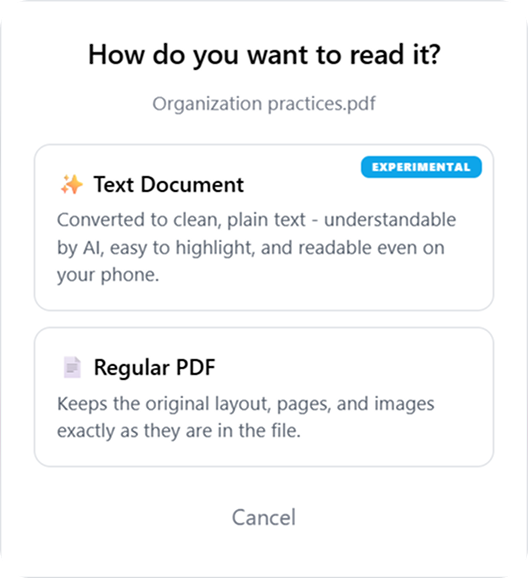
Section titled “Uploading a PDF”PDFs are a little different — when you upload one, you get to choose how it’s saved:
-
Text Document - converts the PDF into clean, structured Markdown you can read and highlight in Reader.
-
Regular PDF - keeps the original PDF layout, exactly as it looks in the file
Supported document formats
Section titled “Supported document formats”-
PDF (
.pdf) -
Word documents (
.docx) -
Excel spreadsheets (
.xlsx,.xls) -
CSV files (
.csv) -
Rich Text Format (
.rtf)