Add People to a Topic via Email
You can add collaborators directly to a topic using either the extension or your dashboard.
From the Extension:
Section titled “From the Extension:”-
Open the extension and select a topic.
-
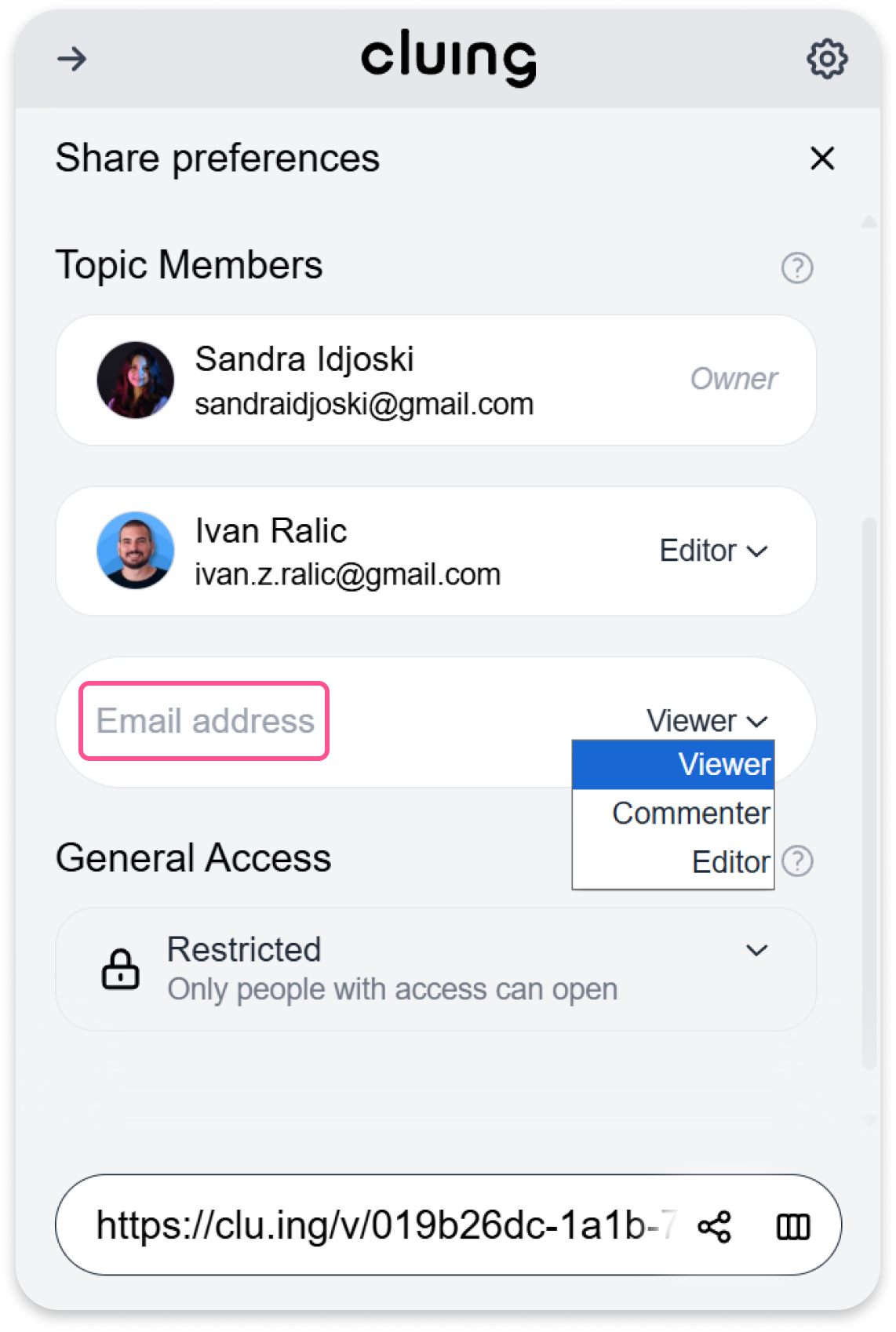
Click the Share button at the bottom.
-
Under Topic Members, enter the collaborator’s email address.
-
Set the permission level you want to assign.
The collaborator will receive an email and can work on the topic based on the permission you set.
From the Dashboard
Section titled “From the Dashboard”-
Go to your Dashboard.
-
Select the Topic you want to add someone to.
-
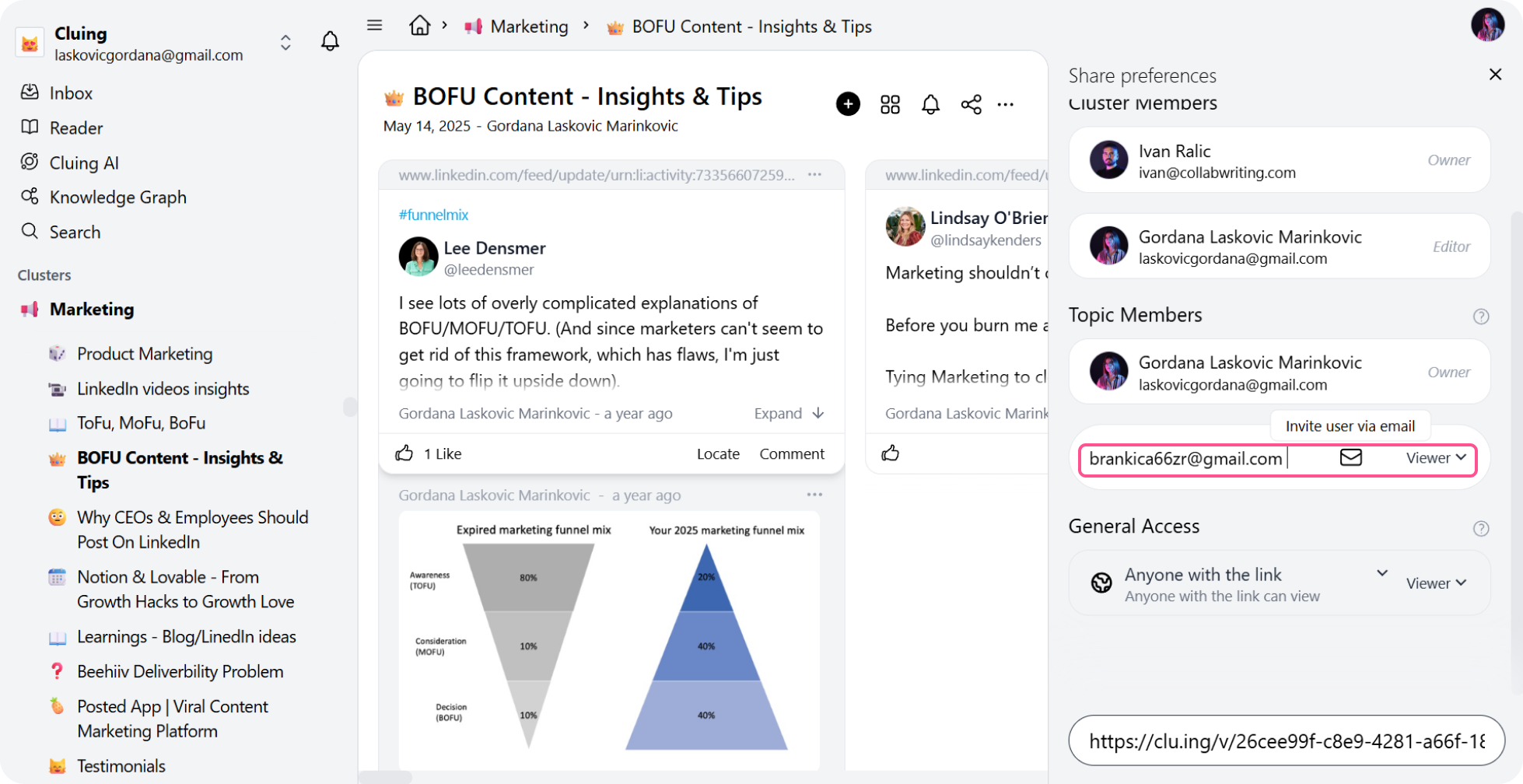
Click the Share button in the top right corner.
-
Under Topic Members, enter the collaborator’s email address.
-
Set the permission level you want to assign.
The collaborator will receive an email invitation and can work on the topic according to the permission you set.