

Importing Kindle Highlights
Accessing Kindle
Section titled “Accessing Kindle”To easily access your Kindle notes, you can do it both through the extension and your dashboard. Here’s how:
Via Extension
Section titled “Via Extension”-
Open the Cluing extension.
-
Click the Settings icon in the top right corner.
-
From the list, select Kindle Book Notes.
-
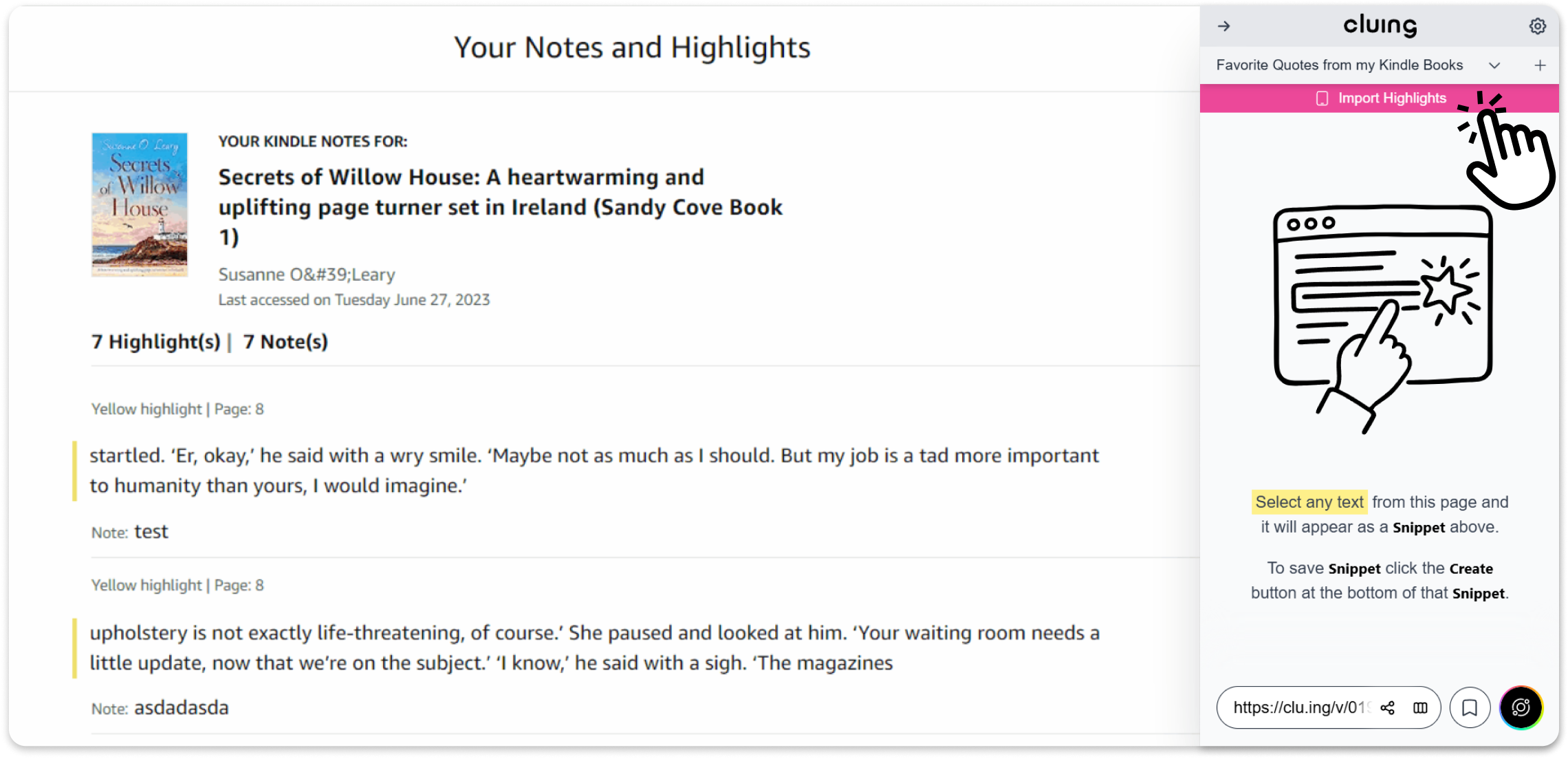
Once you click, your Kindle notes will open.
-
Open the Extension again and start importing you highlights
Via Dashboard
Section titled “Via Dashboard”-
Go to your Dashboard.
-
Open any Topic.
-
Click the Quick Add button.
-
Select Import from Kindle.
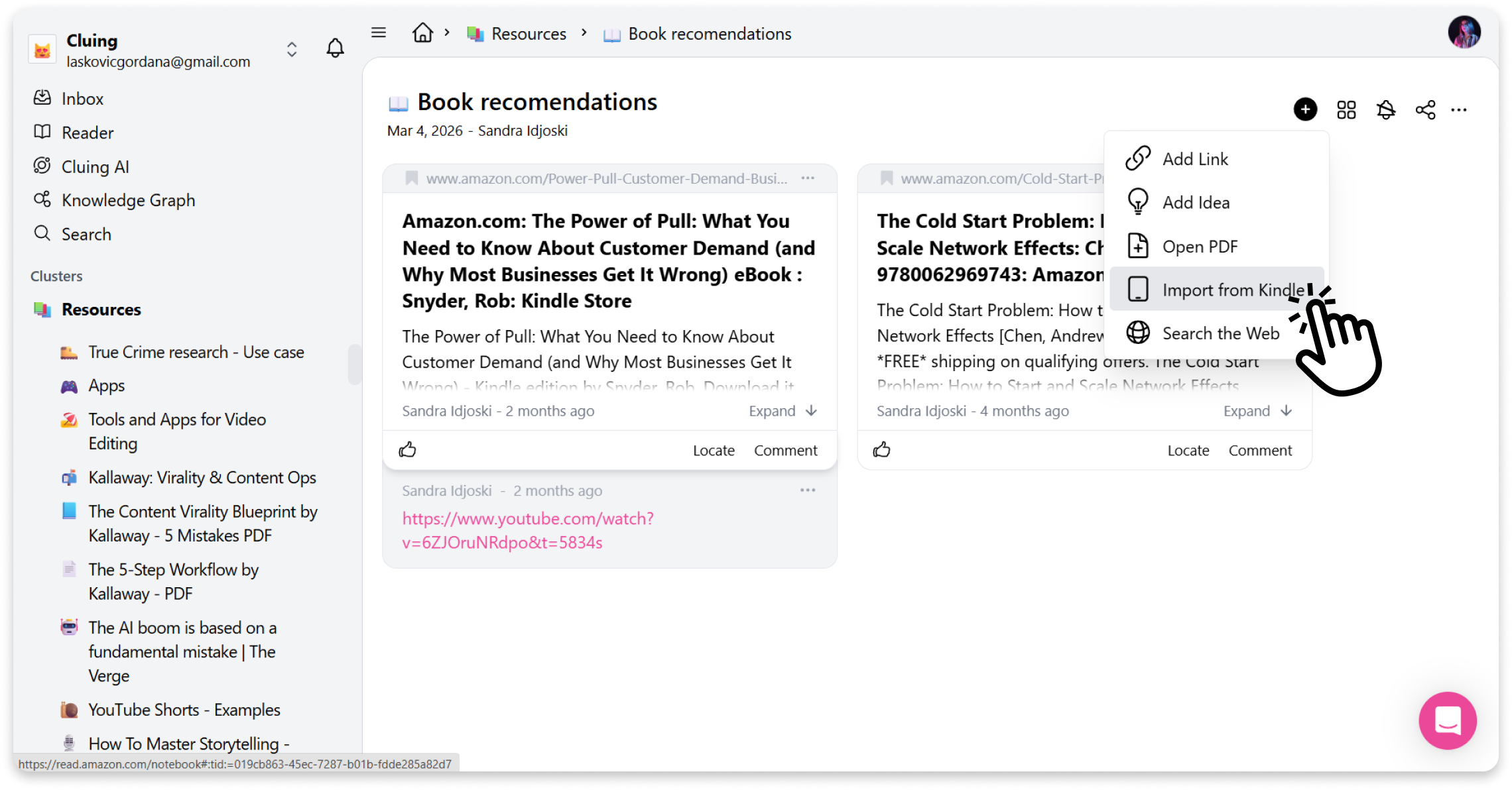
Your Kindle notes will open, and you can start importing your highlights directly into Cluing.