

Mark Snippets as Done
Instead of deleting snippets you’ve finished working on, you can now move them to a dedicated “Completed” section. This helps you maintain a clean and organized workspace, focusing only on what’s active, without losing any of your past work.
How to Mark Snippets as Done?
Section titled “How to Mark Snippets as Done?”-
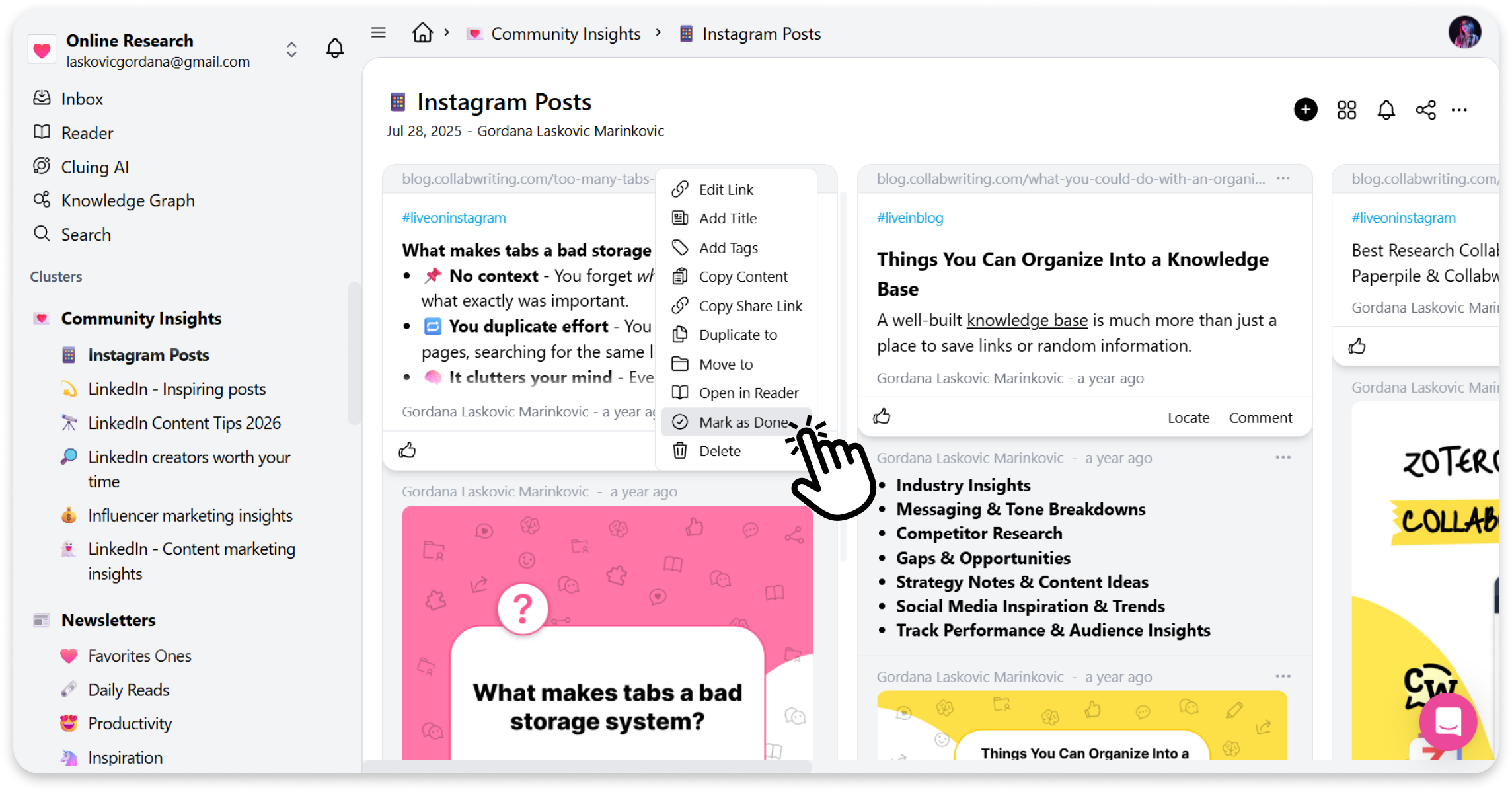
Find the snippet you’ve completed in your Topic
-
Open snippet menu (three dots)
-
Click on the “Mark as Done” option
How to Access Completed Section?
Section titled “How to Access Completed Section?”To find snippets you’ve marked as Done:
-
Go to your Dashboard
-
Open the topic menu (three dots)
-
Click on Completed
Here you’ll see all snippets you’ve archived.