

How to Share a Topic?
📌 Share a Topic from the Extension
Section titled “📌 Share a Topic from the Extension”You can share your Topic directly while working in the Cluing extension:
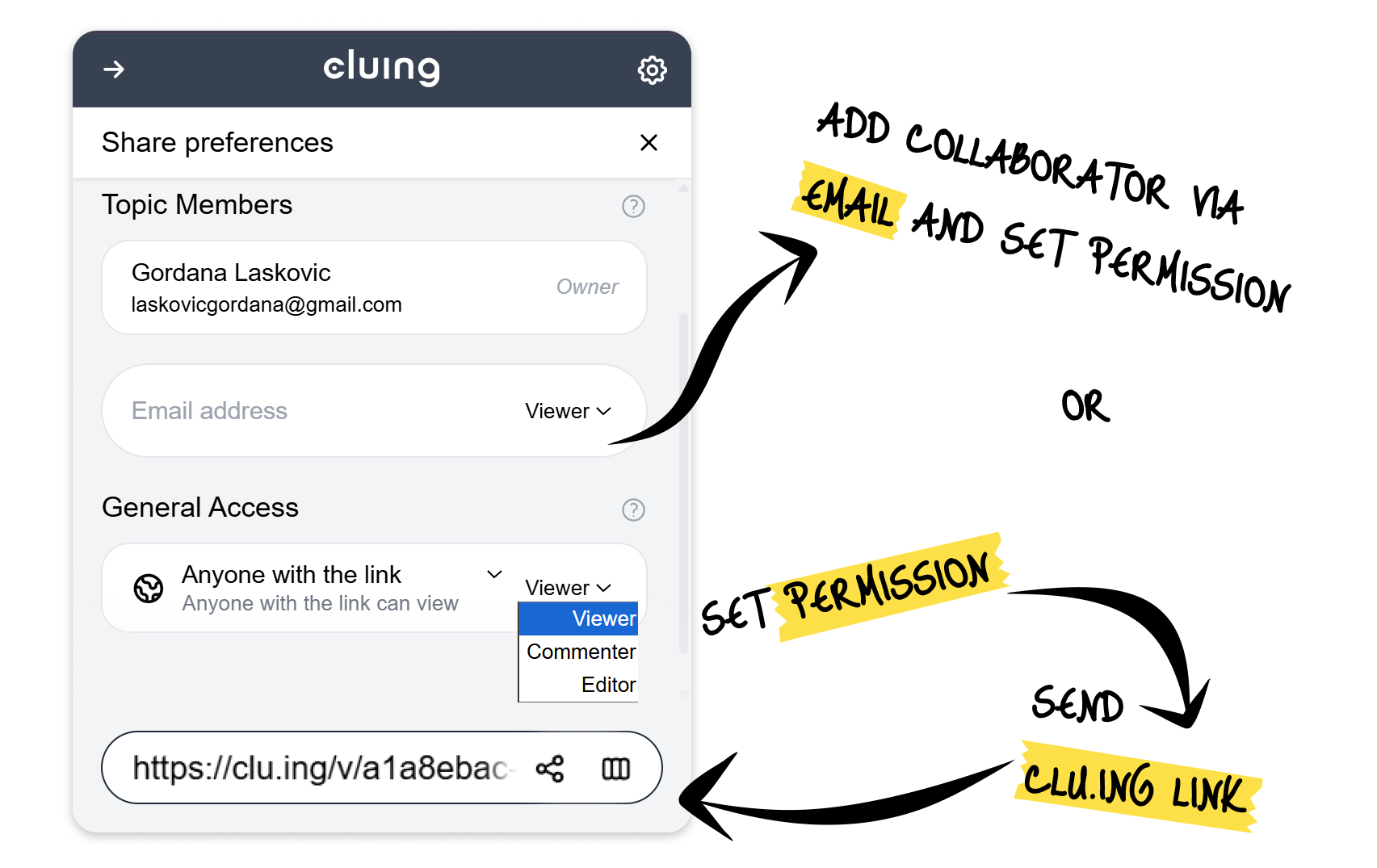
Option #1: Copy the Clu.ing Link At the bottom of your extension, you’ll find the clu.ing link.
-
Choose the permission level (Viewer, Commenter, or Editor).
-
Copy the link and send it to your collaborator.
Option #2: Add Collaborator by Email
-
Instead of sending a link, you can directly add your collaborator’s email address inside the extension.
-
Set the appropriate role (Viewer, Commenter, or Editor), and they’ll get immediate access.
📌 Share a Topic from the Dashboard
Section titled “📌 Share a Topic from the Dashboard”-
Open the Topic you want to share.
-
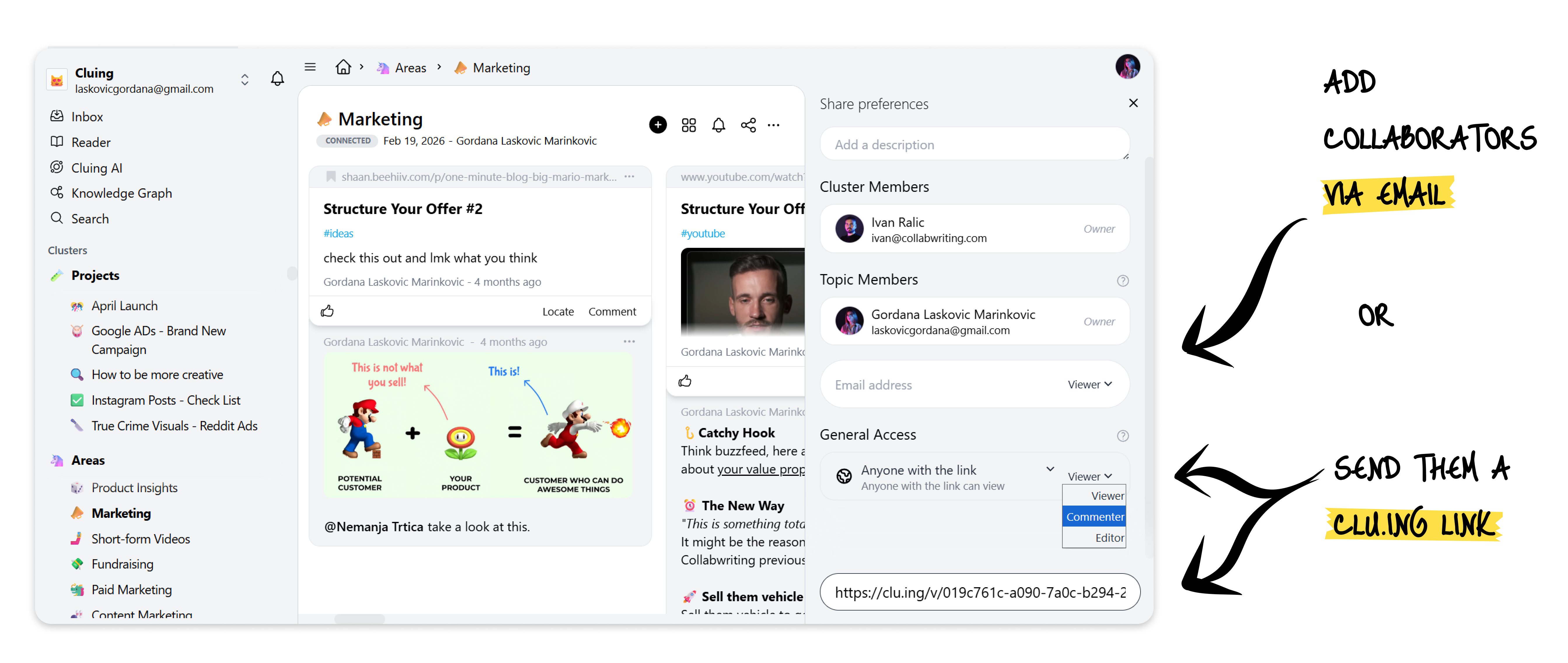
Click the Share button in the top-right corner.
-
From the share panel, you can:
-
Copy and share the Clu.ing link (choose permission level).
-
Invite people via email and assign them a role (Viewer, Commenter, or Editor).
Everything you need for controlled sharing is in one place. 🙌🏼