Mention External Users By Email
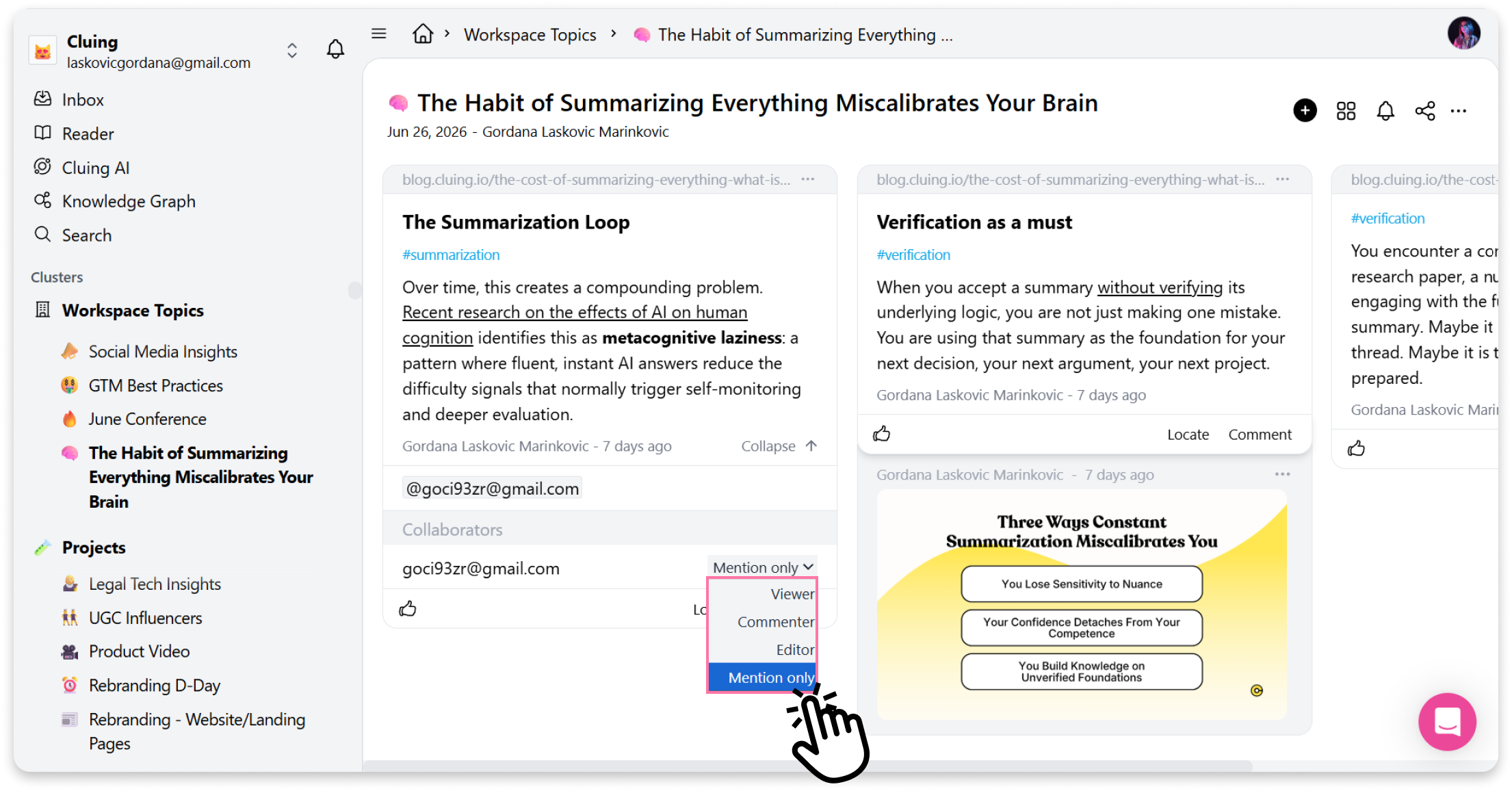
If you want to add external users, you could do so by mentioning them by email. This will send them an email with a snippet of text and instructions to register.
Here’s how:
Section titled “Here’s how:”-
Under the snippet, start typing your comment (either in the browser Extension or on the Dashboard).
-
In the input field, type “@” followed by the email address of the person you want to mention
-
Choose the role you want to assign to that person
-
Save your comment
The person receives an email letting them know they’ve been mentioned, along with a snippet of context and instructions to register
Collaborator roles
Section titled “Collaborator roles”When you mention someone, you can assign one of the following roles:
-
Viewer — can only view the content.
-
Commenter — can view and leave comments.
-
Editor — can view, comment, and edit the content.
-
Only Mention — lets you mention a person without sharing the entire Topic with them. They receive an email notification with a snippet of details and an option to locate it.