

How to add Ideas as Snippets?
To make it easier to capture quick insights, we’ve introduced a special category of snippets called Ideas.
It represents your own original thinking, a note you typed out, or an interesting insight you heard at an event. The idea is to help you clearly organize what matters the most to you.
Idea Snippets are automatically marked with a**💡 icon** to distinguish them from all other externally collected snippets.
How to create an Idea snippet?
Section titled “How to create an Idea snippet?”The process is simple and requires only 4 steps:
-
Click on the ➕ button
-
From the options that appear, choose “Add Idea”
-
The snippet will be created with 2 main fields:
-
Text Field - Place to type any insight you want saved, and it will become the body of your Idea Snippet
-
Link Field - If there’s an external reference you want to connect your thoughts to, you can add a link directing to it
-
-
Once you’re done, just click Create
Among the standard additions a snippet can have, like title or hashtags, ideas can also have Authors.
Why?
We realized some of the best insights come directly from people, not just written sources. If you hear something at a conference or a lecture you want saved for the long term, now you can jot it down in Cluing, assign the speaker as Author, and have this insight as a permanent part of your knowledge base.
How to create an Idea snippet from the browser extension?
Section titled “How to create an Idea snippet from the browser extension?”You can also create an Idea snippet directly from the Cluing browser extension while researching or browsing the web.
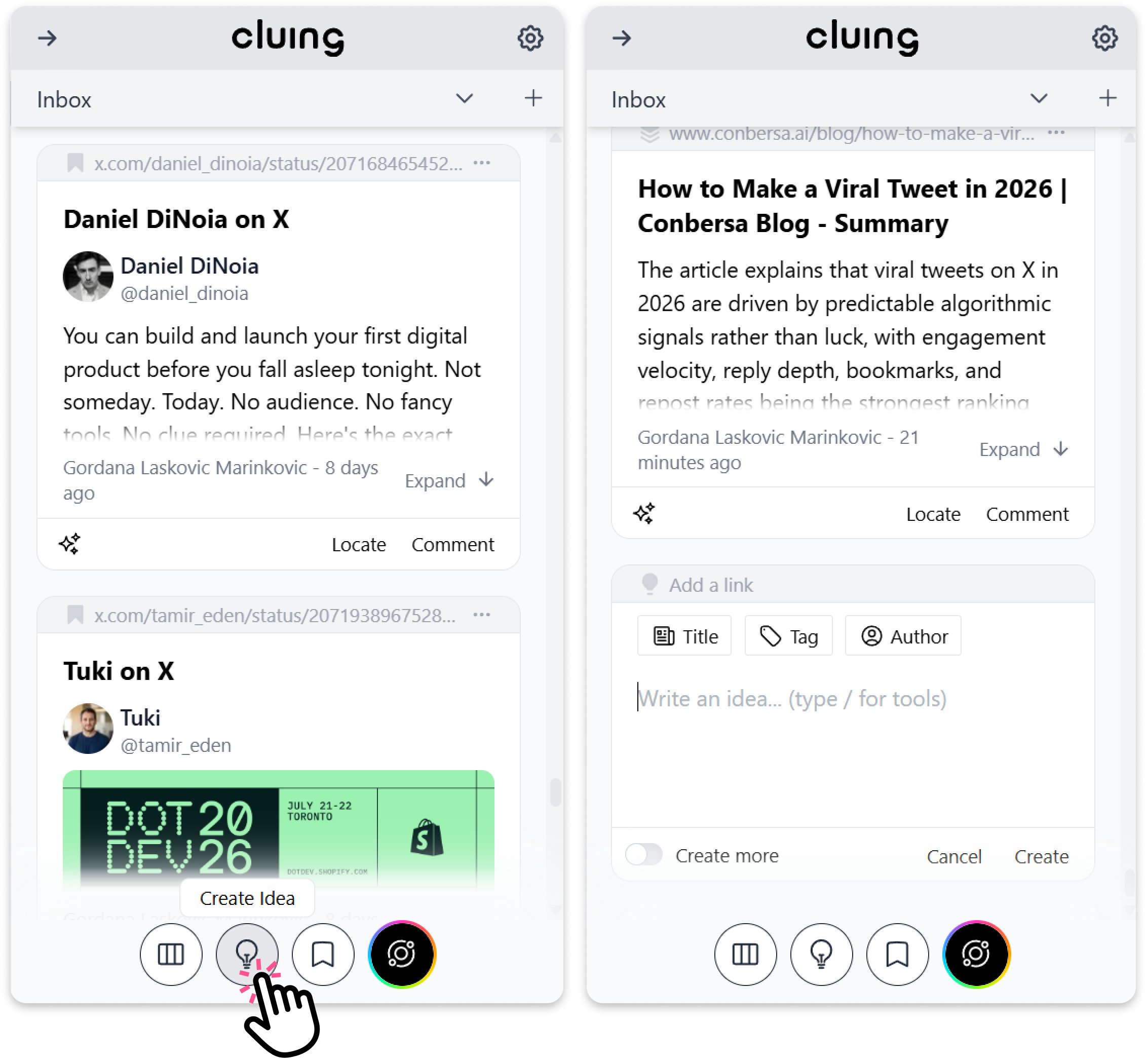
To create one:
-
Open the Cluing extension.
-
At the bottom of the extension, click the 💡 button.
-
Add your thought, insight, or note.
-
Click Create to save it as an Idea snippet.