

Viral YouTube Script Made Easy
You want to create a YouTube video that actually performs, not just “sounds good”, right?
And you already have:
-
saved insights from past research
-
competitor videos
-
comments, hooks, patterns that worked before
The problem? All of this lives in different places. Articles, YouTube videos, docs, screenshots. At some point, you’re juggling 100+ open tabs just to connect the dots.
Step 1: Build a Research Base Before You Write
Section titled “Step 1: Build a Research Base Before You Write”The quality of your script depends on the quality of your research. Before you ask AI to help you write anything, give it something real to work from.
Create a YouTube Research Topic in Cluing and start saving:
-
Competitor videos - save videos from creators in your niche. Note what structure they use, where they create curiosity gaps, how they open and close.
-
Transcripts - if you want to save the actual spoken content of a video, save the transcript. Open the transcript on YouTube, highlight the sections you want, and clip them directly as text snippets. Add a comment explaining what made that passage work.
-
Hooks that stopped you scrolling - use the browser extension to save a YouTube video as a snippet. The extension captures a 15-second preview and the video title, linked to the original. Add a comment with your own notes: what structure the creator uses, where they open the curiosity gap, how they close.
-
Viewer comments - open the comments section on any video, highlight a comment that reveals what your audience wants, what confused them, or what they’re asking for next, and save it as a snippet.
-
Articles and research - for anything you’ve read about YouTube performance (pacing, retention data, CTR tips), use the extension to highlight and save the specific insight. The Summarize Webpage button works on articles and blog posts, not on YouTube video pages directly.
On mobile, tap Share from the YouTube app and select Cluing to save the video to your Inbox.
Step 2: Bring Your Research into AI Chat
Section titled “Step 2: Bring Your Research into AI Chat”Once you have research in your Topic, open AI Chat and @mention it directly in your prompt. Type @ followed by your Topic name and it appears inline - the AI reads everything saved there and works from it.
Start with analysis before you ask for a draft:
-
“Analyze @YouTube Research and tell me what hook patterns appear most often in the high-performing videos I saved.”
-
“Based on @YouTube Research, what structure do successful videos in my niche use? What do they have in common?”
-
“What are viewers asking for in the comments I saved in @YouTube Research? What topics or questions keep coming up?”
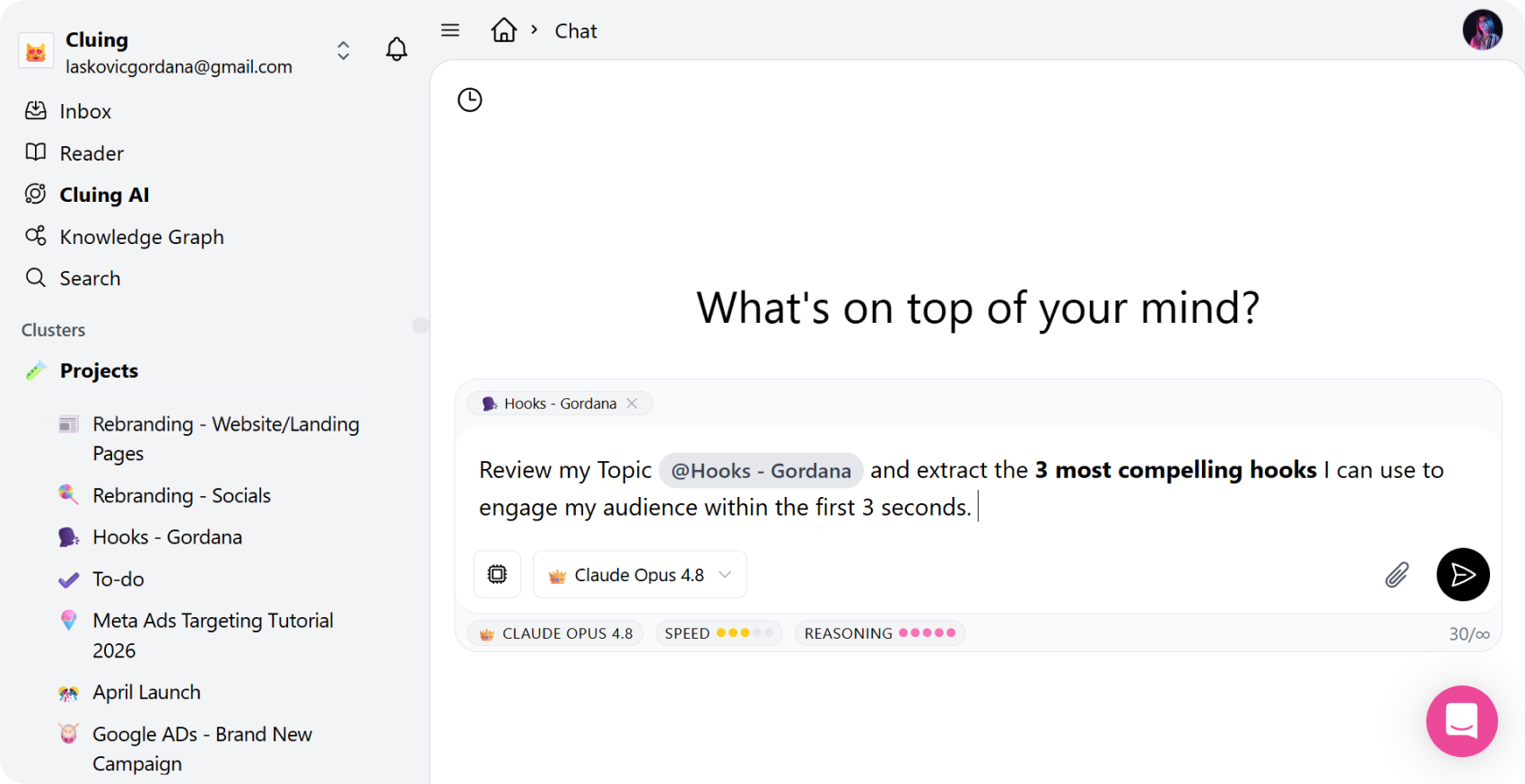
Once you understand the patterns, ask for the script:
-
“Using the hook patterns and structure from @YouTube Research, write a YouTube script about [your topic]. Include 3 hook variations, a clear intro, main sections with pacing cues, and a CTA.”
-
“Write a script that opens with the type of curiosity gap that worked best in @YouTube Research, then builds toward [your main point].”
Because the AI is working from patterns you actually saved the output reflects what has already worked in your specific niche.
Step 3: Refine the Script in Canvas
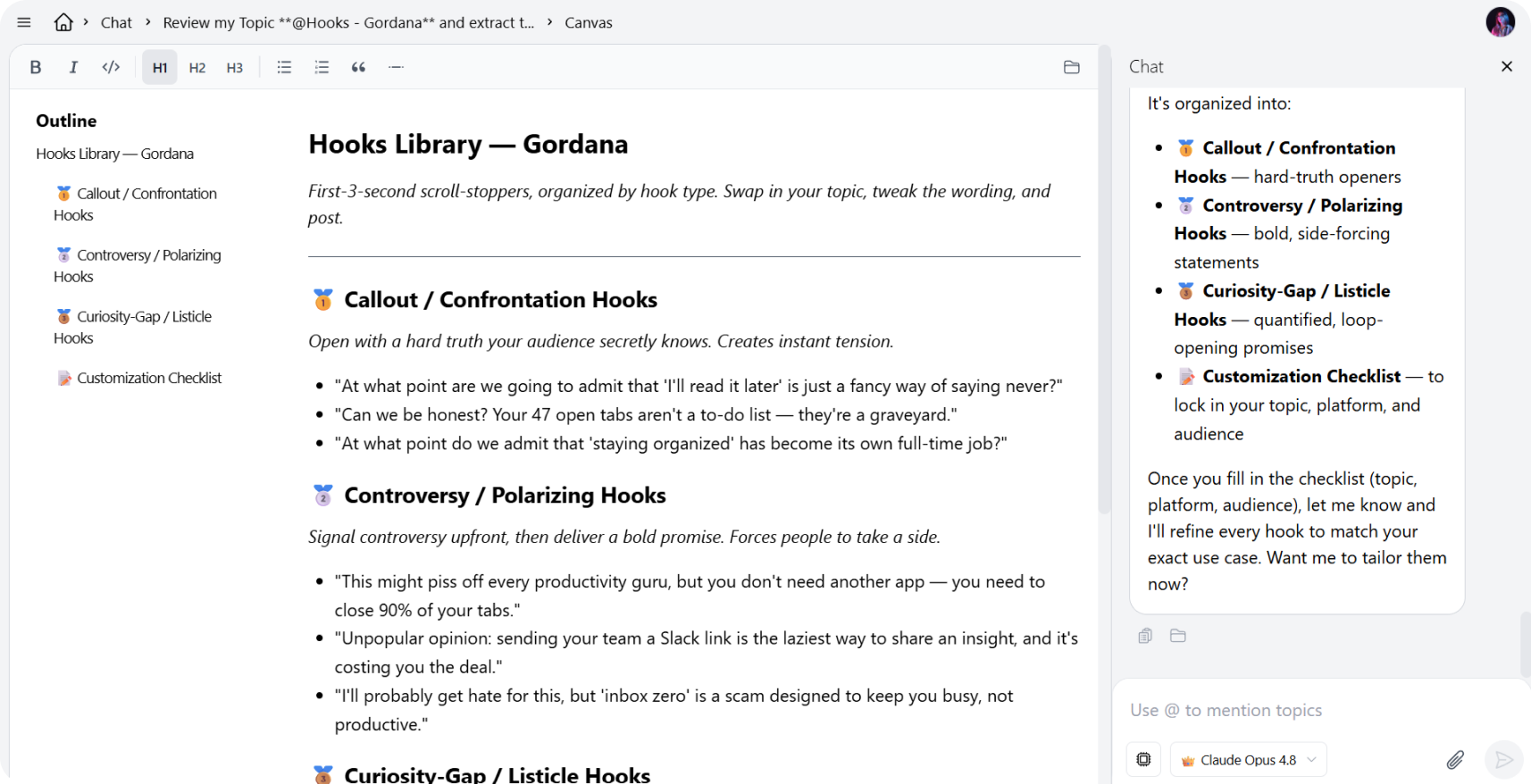
Section titled “Step 3: Refine the Script in Canvas”When you have a draft you want to develop, ask AI Chat to move it into Canvas: “Open this in Canvas” or “Write the full script in Canvas.”
Canvas is Cluing’s built-in editor where the script lands as a structured document.
From here you can:
-
Edit sections directly - adjust the tone, add personal stories, rewrite lines that don’t sound like you
-
Ask the AI to rework specific parts without touching the rest - “Rewrite just the hook section with a more personal opening”
-
Try different hook variations side by side before committing to one
-
Add your own notes and production cues directly in the document
The script stays in your workspace. When you come back for the next video, your research is still there - add new findings, refine the patterns, and generate the next script from an even stronger base.
Step 4: Use It and Build on It
Section titled “Step 4: Use It and Build on It”When the script is ready, copy it out into your preferred tool - teleprompter app, Google Docs, Notion, wherever you work. If you’re working with an editor or a team, share the Topic directly from Cluing so they have context too.
The real value compounds over time. Every video you research, every hook you save, every comment you note - it all builds into a library of what works for your specific audience. The more you put in, the faster and more grounded your next script becomes.